If you build online courses, run events, or manage HR workflows, you already know the pain of creating certificates manually. It does not scale. One course with 500 completions means 500 individual certificates to generate, personalize, and deliver. That is where certificate generator APIs come in.
In this guide, we break down the top Certificate Generator APIs for Developers available today, what makes each one worth using, and how to pick the right one for your project. Whether you are building a SaaS product, an LMS platform, or an internal tool, this guide has you covered.
Why Developers Need a Certificate Generator API
Manual certificate creation has a ceiling. At some point, the volume gets too high for spreadsheets and design tools. APIs solve this by letting you:
- Generate certificates automatically when a trigger fires (course completion, purchase, event attendance)
- Personalize each certificate with dynamic data like names, scores, and dates
- Deliver the output as a PDF or image directly to the recipient
- Scale from 10 certificates to 10,000 without changing your code
The result is a hands-off workflow that saves hours every week.
What to Look for in a Certificate Generator API
Before jumping into the options, here are the key things to evaluate:
Template flexibility means you can bring your own design or customize an existing one. Look for support for custom fonts, logos, colors, and dynamic text fields.
Output format support matters depending on how you deliver certificates. Most use cases need PDF, but some workflows also need PNG or SVG for social sharing or badges.
Bulk generation is critical if you run large cohorts or events. Check whether the API supports batch processing or async jobs.
Webhook support lets you trigger certificate generation automatically from other tools like your LMS, CRM, or form builder.
Developer experience covers things like clear API documentation, sandbox environments, SDKs, and response time. A well-documented API saves days of integration work.
Pricing model varies a lot across providers. Some charge per certificate, others by subscription tier. Match the model to your volume.
Top Certificate Generator APIs for Developers
1. MixCertificate
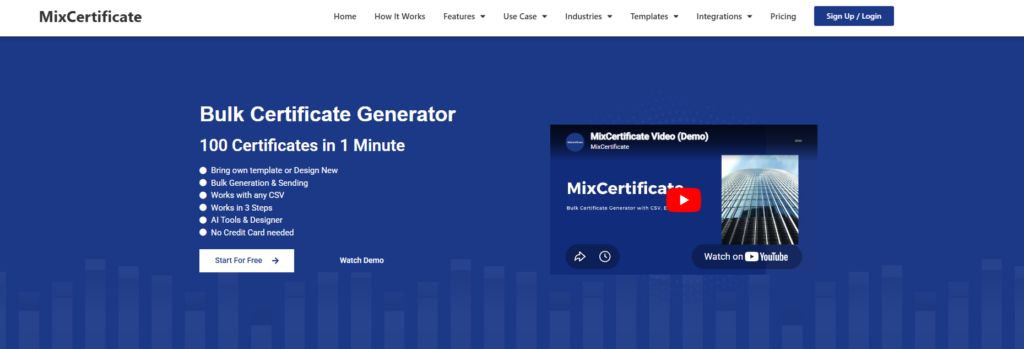
If you are looking for a certificate API built specifically for developers and SaaS teams, MixCertificate (https://mixcertificate.com/) is one of the strongest options available right now.
MixCertificate gives you a clean REST API that handles the full certificate generation workflow. You send a JSON payload with your recipient data, point it to your template, and get back a ready-to-deliver PDF or shareable link. The integration is straightforward and the documentation is written for developers, not just designers.
Key features:
- REST API with JSON-based requests
- Dynamic field support (name, date, course, score, and custom fields)
- PDF and image output formats
- Template management through a visual builder or API
- Bulk generation support for high-volume workflows
- Webhook support for event-driven automation
- Shareable certificate links for LinkedIn and social sharing
Best for: SaaS platforms, LMS builders, event management tools, HR software
Why it stands out: MixCertificate is designed from the ground up for programmatic certificate generation. You get both the API power and a clean template builder, so your design team and dev team can work in the same tool without friction.
If you are evaluating certificate APIs for a new project or replacing a manual workflow, MixCertificate is worth starting with. Visit https://mixcertificate.com/ to explore the API documentation and test in the sandbox environment.
2. Certifier API

Certifier is a credentialing platform with a solid API layer. It is popular in the e-learning space because it connects well with LMS tools and supports shareable credential links out of the box.
Key features:
- PDF and PNG certificate output
- Bulk issuance via API or CSV upload
- LinkedIn sharing integration
- Zapier and webhook support
- Branded certificate pages with verification URLs
Best for: Online course platforms and education businesses
Limitation: The template customization is less flexible compared to code-first tools. You are mostly working within their design system.
3. Carbone.io

Carbone takes a different approach. Instead of a visual builder, you work with DOCX or XLSX templates. You design the certificate in Word, add template variables, and Carbone renders the final output by filling in your data.
Key features:
- Template-based generation using DOCX, XLSX, ODS
- Open source core with a hosted API option
- Fast rendering engine
- Self-hostable for teams that need full control
Best for: Developer-heavy teams who prefer code-first workflows and want self-hosting flexibility
Limitation: No visual builder. Template design requires working in Word or similar tools, which may slow down non-technical team members.
4. DocRaptor

DocRaptor converts HTML and CSS into PDF documents using a professional rendering engine. If your certificate design lives in HTML, DocRaptor gives you pixel-perfect output with consistent fonts, layout, and print quality.
Key features:
- HTML and CSS to PDF conversion
- High-fidelity rendering for complex layouts
- Supports JavaScript rendering
- Enterprise-grade reliability and SLA
Best for: Teams that already design in HTML and need reliable, high-quality PDF output
Limitation: There is no template builder. You need to manage your own HTML templates, which requires frontend development skills.
5. PDFMonkey

PDFMonkey strikes a balance between no-code template design and a developer-friendly API. You build templates in their visual editor, then call the API to fill in dynamic fields and generate the PDF.
Key features:
- Visual template builder with dynamic field support
- REST API with JSON payloads
- Webhook support for async generation
- Good documentation and sandbox environment
Best for: Teams that want a mix of no-code design and programmatic generation
Limitation: Pricing can get steep at higher volumes. The free tier is limited.
6. Bannerbear

Bannerbear started as an image generation API but has grown into a document and certificate generation tool as well. It works well for workflows where you need both a certificate PDF and a shareable certificate image or badge.
Key features:
- Image and PDF generation via API
- Template variables for dynamic content
- Multi-layer template support
- Zapier and webhook integration
Best for: Workflows that need image output alongside PDF certificates
Limitation: Pricing is on the higher side and the tool is not purpose-built for certificates, so some features feel generic.
API Workflow: How Certificate Generation Works
Here is the standard flow most certificate APIs follow:
1. Trigger event fires
(course completed, form submitted, purchase confirmed)
2. Your app calls the certificate API
POST /certificates
{
“template_id”: “abc123”,
“recipient_name”: “Jane Doe”,
“course_name”: “Advanced Python”,
“completion_date”: “2026-06-01”
}
3. API generates the certificate
(fills template with your data, renders PDF)
4. API returns output
(PDF file, download URL, or shareable link)
5. Your app delivers the certificate
(email, dashboard, Slack, LMS profile)
For bulk workflows, most APIs support a batch endpoint where you send an array of recipients in one request. The API processes them asynchronously and fires a webhook when each batch is complete.
Comparison Table
| API | Output | Bulk Support | Webhooks | Free Tier | Best For |
| MixCertificate | PDF, Image | Yes | Yes | Yes | SaaS, LMS, Events |
| Certifier | PDF, PNG | Yes | Yes | Yes | E-learning platforms |
| Carbone.io | PDF, DOCX | Yes | No | Yes | Self-hosted, dev-first |
| DocRaptor | Yes | Yes | Yes | HTML-to-PDF workflows | |
| PDFMonkey | Yes | Yes | Yes | No-code plus API | |
| Bannerbear | PDF, PNG | Yes | Yes | No | Image and badge combos |
How to Choose the Right API for Your Use Case
Building an LMS or online course platform? Go with MixCertificate or Certifier. Both are built for this use case and support shareable credential links, bulk issuance, and webhook-based automation.
Building a SaaS product that needs embedded certificates? MixCertificate is the cleanest fit. The API is simple, the documentation is developer-friendly, and the pricing scales with usage. Check it out at https://mixcertificate.com/.
Need a self-hosted or open source solution? Carbone.io is the strongest option here. You can run it on your own infrastructure and keep full control over your data.
Have an existing HTML template and need reliable PDF output? DocRaptor is built for this. If you are already designing in HTML, it is the fastest path to production-quality PDFs.
Want both certificate images and PDFs for social sharing? Bannerbear handles multi-format output well and works for workflows where the visual shareable asset matters as much as the PDF.
Developer Integration Checklist
Before going live with any certificate API, run through this checklist:
- Identify your trigger events (what action creates a certificate?)
- Choose your template format (visual builder, HTML, or DOCX)
- Set up a webhook listener to handle async delivery
- Test dynamic field mapping with edge cases (long names, special characters)
- Handle error states and retry logic for failed generations
- Test bulk generation with a sample dataset before production
- Confirm output format works with your delivery method (email, download link, LMS profile)
- Review rate limits and plan for traffic spikes
Final Thoughts
Certificate generation is one of those workflows that looks simple until it needs to scale. A good API takes the complexity off your plate so you can focus on your core product.
For most developer teams and SaaS builders, MixCertificate is the best starting point. It covers the core use cases well, the API is clean and well-documented, and it handles both design and generation in one platform. Visit https://mixcertificate.com/ to read the docs, explore templates, and run your first test generation.
If your needs are more specialized, such as self-hosting, HTML-to-PDF conversion, or image-first output, the other options in this list have you covered.
Pick the one that fits your stack, set up the webhook, and let the automation run
Also Read Related Blog :





One Response