Creating certificates manually may seem manageable when you have 20 recipients. But when you’re dealing with hundreds or even thousands of participants, students, employees, or event attendees, the process quickly becomes overwhelming.
Imagine editing 500 certificates one by one. A simple typo, incorrect date, or formatting inconsistency can create unnecessary work and damage your professional image.
That’s why organizations worldwide are switching to bulk certificate generator software.
With the right tool, you can upload a spreadsheet, customize a template, and automatically generate personalized certificates in minutes.
In this guide, we’ll compare the best bulk certificate generators in 2026, their key features, pricing considerations, and which tool is best for your specific use case.
What Is a Bulk Certificate Generator?
A bulk certificate generator is software that automatically creates personalized certificates for multiple recipients using data from a spreadsheet or CSV file.
Instead of manually editing every certificate, you simply:
- Design or select a certificate template
- Upload recipient information
- Map data fields such as name, course title, date, and certificate ID
- Generate all certificates instantly
Most modern certificate platforms also provide:
- Automated email delivery
- QR code verification
- Certificate tracking
- Digital credential management
- Branded certificate templates
This automation can reduce certificate creation time by over 90%.
Who Uses Bulk Certificate Software?
Bulk certificate generators are widely used by:
Educational Institutions
Schools, colleges, universities, and training centers issuing completion certificates.
HR & Corporate Training Teams
Organizations managing employee training, compliance certifications, and onboarding programs.
Event Organizers
Conference hosts, webinar organizers, workshop coordinators, and community managers.
Online Course Creators
Creators using LMS platforms who need automatic certificate delivery after course completion.
Nonprofit Organizations
NGOs issuing volunteer recognition and participation certificates.
What Features Should You Look For?
Not all certificate generators offer the same capabilities.
Before choosing a platform, consider these essential features:
CSV & Spreadsheet Import
Upload recipient information in bulk without manual entry.
Certificate Template Customization
Add logos, signatures, brand colors, and custom fonts.
Bulk Email Delivery
Automatically send certificates to recipients.
Certificate Verification
Allow recipients to verify authenticity through unique links or QR codes.
Automation Integrations
Connect with tools such as LMS platforms, Zapier, Google Forms, or Typeform.
Scalability
Handle batches ranging from dozens to thousands of certificates.
Cost Efficiency
Choose a pricing model that matches your certificate volume.
Best Bulk Certificate Generator Software in 2026
1. Mix Certificate
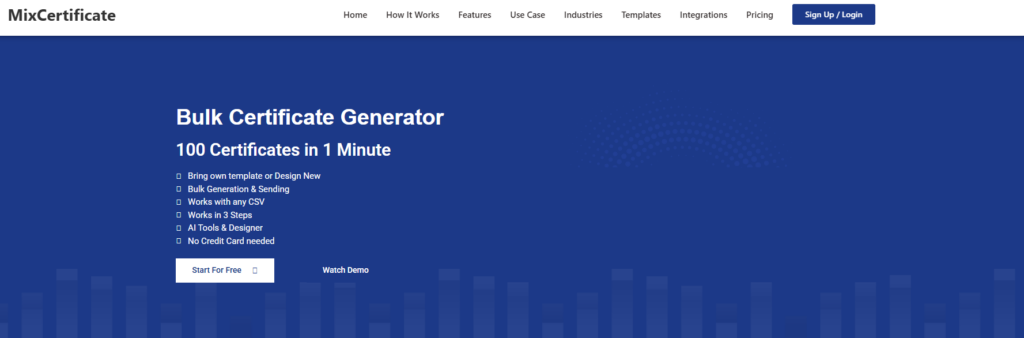
Mix Certificate is one of the easiest and most affordable certificate generation platforms available today.
Built specifically for bulk certificate automation, it helps organizations create, distribute, and verify certificates without requiring technical expertise.
Key Features
- Bulk CSV upload
- Automatic field mapping
- Professional certificate templates
- One-click email delivery
- Online verification links
- Custom branding options
- Fast batch generation
- Free plan available
Best For
- Educational institutions
- Training companies
- HR departments
- Webinar organizers
- Event managers
Pros
- Built specifically for certificate automation — no learning curve
- Bulk CSV upload with automatic field mapping
- One-click email delivery saves significant time
- Built-in online verification links
- Fastest setup experience among all options
- Free plan available — low barrier to start
Cons
- Less design flexibility than Canva or Visme
- No Open Badges / digital credential standard support
Why Choose Mix Certificate?
Unlike many design-focused tools, Mix Certificate is purpose-built for certificate generation. The platform focuses on simplicity, speed, and automation rather than requiring users to build complex workflows.
For organizations that regularly issue certificates, it offers one of the fastest setup experiences available.
2. Certifier

Certifier specializes in digital certificates and Open Badges.
The platform provides credential verification, recipient management, and workflow automation for organizations issuing professional credentials.
Key Features
- Bulk certificate generation
- Digital badges
- Email delivery
- Credential verification
- Zapier integration
Pros
- Supports Open Badges — an industry-recognized standard
- Zapier integration enables automation with other tools
- Strong credential verification features
- Recipient management built in
Cons
- More setup complexity than simpler tools
- No free plan mentioned
- May be overkill for basic certificate issuance
Best For
Professional certification programs and training providers.
3. Canva Bulk Create

Canva’s Bulk Create feature allows users to generate multiple certificate variations from spreadsheet data.
Pros
- Familiar, intuitive interface most teams already know
- Massive template library with excellent design quality
- High design flexibility — full creative control
- Spreadsheet-to-certificate workflow is straightforward
Cons
- Requires Canva Pro subscription
- No built-in certificate verification
- Manual distribution — no automated email delivery
- Not purpose-built for certification workflows
Best For
Design-focused teams already using Canva.
4. Accredible

Accredible is an enterprise-grade digital credential platform used by universities, certification bodies, and large organizations.
Key Features
- Certificates and badges
- LMS integrations
- Credential analytics
- Verification tools
- Enterprise security
Pros
- Full-featured for both certificates and digital badges
- LMS integrations (Moodle, Canvas, etc.)
- Credential analytics to track recipient engagement
- Enterprise-grade security and compliance
- Trusted by major universities and certification bodies
Cons
- Significantly higher pricing than alternatives
- Excessive for small or mid-sized organizations
- Longer onboarding and implementation time
Best For
Large organizations with advanced credential management needs.
Drawback
Higher pricing compared to other solutions.
5. Visme

Visme combines presentation design and certificate creation capabilities.
Features
- Certificate templates
- Data-driven content generation
- Professional design tools
Pros
- Data-driven content generation from spreadsheets
- Professional design tools built in
- Good template variety for visual content
- Multi-purpose platform — useful beyond certificates
Cons
- No built-in distribution or email delivery
- No certificate verification features
- Certificate issuance is a secondary use case, not the focus
- Extra manual steps needed for end-to-end workflow
Best For
Marketing and design teams.
6. Sertifier

Sertifier provides a user-friendly platform for creating and verifying certificates.
Features
- Bulk certificate generation
- QR-code verification
- Automated email delivery
- Free plan available
Pros
- QR-code verification is easy for recipients to use
- Automated email delivery included
- Free plan available — accessible for small budgets
- User-friendly interface suited to non-technical teams
Cons
- Fewer advanced integrations compared to Certifier or Accredible
- Limited customization on free plan
- Smaller brand reputation than established competitors
Best For
Small businesses, startups, and training providers.
Quick Comparison Table
| Tool | CSV Import | Email Delivery | Verification | Free Plan | Best For |
| Mix Certificate | Yes | Yes | Yes | Yes | HR, Education, Events |
| Certifier | Yes | Yes | Yes | Limited | Digital Credentials |
| Canva Bulk Create | Yes | No | No | No | Designers |
| Accredible | Yes | Yes | Yes | No | Enterprise |
| Visme | Yes | No | No | Limited | Marketing Teams |
| Sertifier | Yes | Yes | Yes | Limited | Small Teams |
How to Generate Certificates in Bulk
The process is surprisingly simple.
Step 1: Create an Account
Sign up and access the certificate dashboard.
Step 2: Choose a Template
Select a professional template or upload your own design.
Step 3: Prepare Your CSV File
Include fields such as:
- Name
- Course Title
- Certificate Number
- Date
- Organization Name
Step 4: Upload and Map Fields
Connect spreadsheet columns to certificate placeholders.
Step 5: Preview Certificates
Review a sample batch for accuracy.
Step 6: Generate and Send
Create all certificates instantly and deliver them via email or download them as a ZIP archive.
Most organizations complete this process in less than 10 minutes.
Benefits of Using Bulk Certificate Software
Save Hours of Manual Work
Generate hundreds or thousands of certificates within minutes.
Eliminate Human Errors
Reduce mistakes caused by repetitive editing.
Maintain Brand Consistency
Ensure every certificate follows the same professional design.
Improve Recipient Experience
Deliver certificates immediately after completion.
Increase Operational Efficiency
Automate repetitive administrative tasks.
Frequently Asked Questions
Can I Generate Certificates in Bulk for Free?
Yes. Several platforms offer free plans, including Mix Certificate and Sertifier. However, premium plans typically provide higher volume limits and advanced automation features.
What File Formats Are Supported?
Most certificate generators export certificates as PDF files. Some platforms also support PNG and JPG formats.
Can I Add My Signature?
Yes. Most tools allow you to upload a digital signature that automatically appears on every generated certificate.
Can Recipients Verify Their Certificates?
Many modern platforms generate unique verification links or QR codes that confirm certificate authenticity.
How Many Certificates Can Be Generated at Once?
The limit depends on the platform and subscription plan. Enterprise-grade solutions can generate thousands of certificates in a single batch.
Final Verdict
If your organization regularly issues certificates, automating the process is no longer optional—it’s a significant productivity advantage.
While tools like Certifier, Accredible, Canva, and Sertifier each have strengths, Mix Certificate offers one of the best balances of simplicity, automation, affordability, and ease of use for most organizations.
Whether you’re issuing certificates for training programs, corporate learning, educational courses, webinars, or events, bulk certificate generation can save hours of administrative work while delivering a more professional experience for recipients.
Start with a free certificate generator, test your workflow, and see how much time you can save.
Also Read Related Blog :





7 Responses