
If you run a coaching business, certificates are not just a nice-to-have. They are proof. Proof that your client finished the program, proof that they can showcase on LinkedIn, and proof that your coaching actually delivers results. A well-designed completion certificate does something most coaches underestimate: it turns a private win into a public endorsement of your brand.
But here is the problem. Most coaches are still stuck making certificates the hard way, either in Canva one at a time, or in Word documents that look like they were designed in 2009. Neither approach scales once you have a batch of 50, 100, or 500 students to certify at the end of a cohort.
In this guide, I am going to walk through what actually matters when picking a Best Certificate Software for Coaching Businesses , compare the top options available in 2026, and explain why bulk generation and automated delivery are non-negotiable once your client list grows past a handful of names. I will also cover where MixCertificate fits into this picture, since it was built specifically to solve the bulk generation and delivery problem that most coaches run into.
Why Coaches Need a Dedicated Certificate Tool (Not Just Canva)
Coaches usually start with whatever tool is closest at hand. Canva is the most common starting point because it is free, visual, and easy to use for one-off designs. The trouble starts when a cohort finishes at the same time and you need to send out 40 certificates with 40 different names, dates, and sometimes different completion tracks.
Doing this manually means:
- Duplicating a template 40 times
- Manually typing each name and checking for typos
- Exporting each file individually
- Emailing each certificate one by one, or worse, forgetting a few
This is where a purpose-built coaching certificate tool changes the math. Instead of hours of repetitive design work, you upload a spreadsheet of names, pick a template, and the system generates every certificate in one pass. Some tools go a step further and email the certificate directly to each recipient, which removes the last manual step entirely.
For a coaching business, the real cost of not using a proper tool is not just time. It is the risk of sending a certificate with a misspelled name to a client who paid a premium for your program. That single mistake can undercut the professional image you have spent months building.
What to Look For in a Coaching Certificate Tool
Before comparing specific platforms, it helps to know what actually separates a good certificate tool from a mediocre one, especially for coaching and creator businesses where personal branding matters more than in most other industries.
Bulk generation from a spreadsheet. You should be able to upload a CSV or Excel file with names, dates, and course details, and have the system generate every certificate automatically. If a tool still expects one-by-one entry, it is not built for a growing coaching business.
Branded, customizable templates. Your certificate is a branded asset. It should carry your logo, your signature, your brand colors, and ideally a QR code or verification link that ties back to your coaching business. Generic templates that look like every other certificate on the internet dilute the achievement.
Email delivery built in. The best tools do not just generate a PDF and leave you to send it. They deliver the certificate straight to the recipient’s inbox, personalized, without you touching an email client.
Verification and authenticity. Coaching certificates that can be verified online (through a unique ID or QR code) carry more weight, especially if your students plan to add them to LinkedIn or a professional portfolio.
Reasonable, transparent pricing. Coaching businesses run on tight margins in the early stages. A tool that charges per certificate at enterprise prices does not make sense for a coach certifying 30 to 100 students per cohort.
Ease of use without a design background. Most coaches are not graphic designers. The tool should offer templates that already look professional, so you are customizing rather than building from scratch.
Comparing the Top Certificate Tools for Coaches
Here is how the major options stack up against these criteria.
| Tool | Bulk Generation | Branded Templates | Automated Email Delivery | Verification | Best Suited For |
| MixCertificate | Yes, spreadsheet upload | Yes, fully customizable | Yes, built in | Yes | Coaches, trainers, HR teams, educators running bulk cohorts |
| Canva | No, manual duplication | Yes, strong design library | No, manual export and send | No | One-off certificates, small workshops |
| Certifier | Yes | Yes | Yes | Yes | Course creators and mid-size training programs |
| Google Docs / Word | No | Limited | No | No | Very small, informal programs |
| Adobe Express | Limited | Yes | No | No | Design-heavy one-off certificates |
A quick read of this table makes the gap obvious. Canva and Word are fine when you are certifying five people after a small workshop. Once your coaching business runs recurring cohorts, bulk generation and automated delivery stop being convenience features and start being operational necessities.
Platform Profiles: What Each Option Offers
MixCertificate
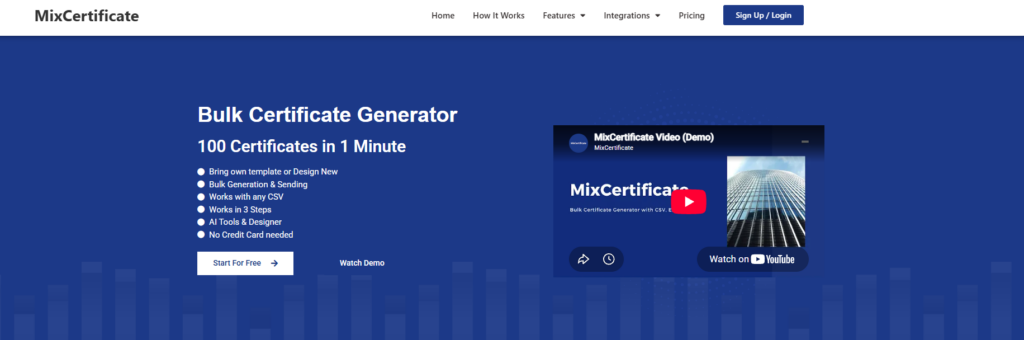
A bulk digital certificate generation platform purpose-built for spreadsheet-based batch creation with automated email delivery. Instead of designing and sending certificates one by one, the platform is structured around cohort workflows: a coach or trainer uploads a single spreadsheet of participant names and details, maps it to a branded template, and generates the entire batch in one pass. Delivery and verification are handled as part of the same workflow rather than as separate steps, and pricing is built around the volume patterns of coaching and training businesses rather than enterprise HR budgets.
- Pros: Uploads a spreadsheet to generate an entire cohort’s certificates in one pass, fully customizable branded templates, built-in automated email delivery, verification included, pricing structured for coaching-business volume rather than enterprise HR
- Cons: Not built for single, highly artistic one-off designs where a coach just needs one certificate
- Best for: Coaches, trainers, and cohort-based educators issuing certificates in recurring batches
Canva

A general-purpose design tool that happens to include a large certificate template library, built around manual, one-at-a-time design work rather than batch issuance. Its strength is visual flexibility: users can freely adjust colors, fonts, borders, and layout for a single certificate that looks polished and distinctive. There is no spreadsheet import or batch engine behind it, so each certificate has to be duplicated, edited, and exported individually, which becomes time-consuming once the number of recipients grows past a handful.
- Pros: Free to start, strong visual template library, easy for a single polished certificate
- Cons: No bulk generation, requires manual duplication and export for each certificate, no automated delivery, no verification
- Best for: One-off certificates or very small workshops with just a handful of participants
Certifier
A certificate and badge platform built for course creators and structured training programs that need bulk issuance alongside brand controls. It covers the same core functions as a batch-first tool: bulk generation from a data source, branded templates, automated email delivery, and recipient verification. Where it differs is scale and pricing: the platform is positioned toward mid-size training programs and online course businesses with established cohort volume, so the infrastructure and cost can run ahead of what a smaller coaching practice actually needs.
- Pros: Supports bulk generation, branded templates, automated email delivery, and verification
- Cons: Positioned and priced around mid-size training programs and online courses, which can mean paying for infrastructure sized above what a smaller coaching business needs
- Best for: Course creators and mid-size training programs with established cohort volume
Google Docs / Word

Standard, general-purpose document editors repurposed for manually building certificates one at a time, using tables, borders, and text boxes to approximate a certificate layout. Because there is no dedicated certificate engine behind either tool, every element (names, dates, signatures) has to be typed or adjusted by hand for each recipient, with no batch import, no automated sending, and no verification layer. The appeal is familiarity and zero cost rather than efficiency at scale.
- Pros: No cost, full manual control over layout, no new tool to learn
- Cons: No bulk generation, no automated delivery, no verification, high time cost and error risk once volume grows
- Best for: Very small, informal coaching programs with only a few participants
Adobe Express
A design tool geared toward visually rich, single-certificate creation, drawing on Adobe’s broader design ecosystem for fonts, graphics, and layout flexibility. It suits users who want a certificate that stands out visually and are willing to design it individually rather than issue certificates as a batch. Bulk creation exists only in a limited form, and there’s no automated email delivery or verification layer built around the certificates once they’re created.
- Pros: Strong design flexibility, good template variety for a standout look
- Cons: Limited bulk generation, no automated email delivery, no verification
- Best for: Design-heavy, one-off certificates rather than cohort-scale issuance
MixCertificate: Built for Coaches Who Scale
I work on content for MixCertificate, so I will be upfront about that. But the reason it fits coaching businesses specifically is worth explaining on its own merits.
MixCertificate is a bulk digital certificate generation platform. The core workflow is simple: you upload a spreadsheet with participant names, course details, and completion dates, pick or design a branded template, and the platform generates every certificate in one batch. From there, certificates can be delivered by email automatically, so you are not manually attaching files to 40 separate messages.
For a coaching business specifically, this matters in a few concrete ways.
Cohort-based coaching programs finish in batches. Whether you run a 6-week group coaching sprint or a 12-month mastermind, your students tend to complete around the same time. MixCertificate is built for exactly that moment, when you need to issue a large batch of certificates at once rather than trickle them out one by one.
Your brand stays consistent across every certificate. Templates on MixCertificate can be customized with your logo, signature, brand colors, and program name, so every certificate looks like it came from your business, not from a generic template library.
Verification adds credibility. When a client shares their completion certificate on LinkedIn, a verifiable certificate signals that the achievement is real and traceable back to your program. This is a small detail that adds up to bigger trust in your brand over time.
Pricing that fits a growing coaching business. Coaches do not need enterprise-grade certificate infrastructure built for Fortune 500 HR departments. MixCertificate is priced for the reality of a coaching business that might certify 20 people this month and 200 next quarter.
And on the question of trust: if you are evaluating a paid plan, your payment with MixCertificate is risk-free. You can try the service and see the actual output before committing further, which matters when you are choosing infrastructure that will represent your brand to every client who completes your program.
Certificate Needs by Type of Coaching Business
Not every coaching business uses certificates the same way. The right setup depends on how your program is structured and who your audience is.
Life and mindset coaches often run group programs or challenges with a defined start and end date. Certificates here work best as a milestone marker, something a client can look back on as proof they finished a program that asked real commitment. Branding matters a lot in this niche because clients frequently share these certificates on social media as part of a personal growth story.
Business and executive coaches tend to serve a more professional audience that will add the certificate to LinkedIn or a resume. Verification becomes more important here, since a hiring manager or business partner might actually check whether the credential is real. A QR code or verification link is worth prioritizing for this audience.
Fitness and wellness coaches often certify large batches of clients at once, for example everyone who completes a 12-week transformation program. Bulk generation is the single most important feature for this group, since manually creating certificates for 50 or 100 clients at the end of a program cycle is simply not realistic.
Online course creators and cohort-based educators usually have the highest volume and the most recurring need. If you run a new cohort every 6 to 8 weeks, you need a repeatable, low-effort certificate workflow that does not eat into the time you should be spending on the next cohort’s curriculum.
Corporate and B2B trainers who sell coaching services into companies often need certificates that look formal and match a more conservative brand aesthetic. These clients also tend to ask for certificates on a tight deadline right after a training session ends, which makes automated, same-day delivery especially valuable.
Whatever category your coaching business falls into, the underlying need is the same: certificates that look professional, arrive without manual effort on your part, and reinforce your brand every time they are shared.
Pricing: What Coaches Should Actually Expect to Pay
Certificate tool pricing varies widely, and it helps to know what you are actually paying for before you commit.
Free tools like Canva cost nothing upfront, but the real cost shows up in time. If you value your own hours at even a modest rate, manually creating and sending 50 certificates a month adds up fast, especially when you factor in the risk of errors that need to be corrected and resent.
Bulk certificate platforms typically price based on the number of certificates generated per month or a flat subscription that covers a generous batch size. For a coaching business, this model tends to make more sense than per-certificate enterprise pricing, since your certificate volume will scale in bursts tied to cohort completions rather than a steady daily trickle.
When evaluating cost, it is worth asking:
- Does the price include template customization, or is that a separate add-on?
- Is automated email delivery included, or does it cost extra?
- Are there limits on how many templates you can save and reuse?
- What happens if your cohort size grows, does the platform scale with you without a painful price jump?
This is exactly why MixCertificate keeps its pricing structured around what a real coaching business needs rather than what a large enterprise HR department needs. And because your payment is risk-free, you get to test the actual template quality, the bulk generation speed, and the email delivery experience before deciding whether to commit to a larger plan.
How to Set Up Certificates for Your Coaching Program (Step by Step)
If you are moving away from manual certificate creation, here is a practical workflow that works well for most coaching businesses.
Step 1: Design your template once. Decide on your brand colors, logo placement, signature, and the exact wording of the achievement (for example, “has successfully completed the 8-Week Leadership Coaching Program”). Get this right once, and you will not need to touch it again for every future cohort.
Step 2: Prepare your participant list. A simple spreadsheet with columns for name, email, course name, and completion date is usually all you need. Keep this list clean, since a typo in your source data becomes a typo on the certificate.
Step 3: Bulk generate. Upload the spreadsheet and let the platform match each row to your template. This is the step that saves the most time compared to manual design work.
Step 4: Review before sending. Even with automation, do a quick scan of a sample of certificates before the batch goes out. Automation reduces errors, it does not eliminate the need for a final check.
Step 5: Deliver by email. Automated delivery means each client gets their certificate directly in their inbox, personalized with their name, without you sending 40 individual emails.
Step 6: Encourage sharing. Prompt your clients to post their certificate on LinkedIn or add it to their portfolio. This is quiet, credible marketing for your coaching business that costs you nothing extra.
Why This Matters for E-E-A-T and Your Coaching Brand
There is a reason certificates matter beyond the individual client relationship. Every certificate your student shares publicly is a small trust signal for your coaching business. It shows experience (they went through your actual program), expertise (the program had defined outcomes worth certifying), and it builds authority and trust every time someone in your student’s network sees that certificate and asks about the program.
This is the same principle that applies to how coaching businesses should think about their own online presence. Just as search engines and readers reward content that demonstrates real experience and expertise, your students’ shared certificates function as social proof that reinforces your coaching business’s credibility in a very public, very low-effort way.
A coach who issues generic, unbranded, or inconsistent certificates is quietly undermining that signal. A coach who issues clean, branded, verifiable certificates is reinforcing it every single time a student shares one.
Common Mistakes Coaches Make With Certificates
Waiting too long to formalize the process. Many coaches start manually and only look for a tool once the manual process has already caused a visible problem, like a wrong name going out to a paying client. It is worth setting this up before your first cohort, not after your fifth.
Using a template that does not match brand colors. A certificate is a branded touchpoint. If it does not visually match your website, your emails, and your course materials, it looks disconnected from the rest of your business.
No verification method. Without a way to verify authenticity, a certificate is just a PDF. Anyone could, in theory, recreate it. A verification link or QR code closes that gap and adds legitimacy.
Forgetting mobile formatting. A large share of your students will open their certificate email on a phone first. If the certificate or the email around it is not mobile-friendly, the first impression suffers.
Treating certificates as an afterthought instead of a marketing asset. Every certificate that gets shared is free exposure for your coaching business. Treating certificate design and delivery as a low-priority admin task means leaving that exposure on the table.
Making Certificates Part of Your Client Journey, Not an Afterthought
The coaches who get the most value out of certificates are the ones who plan for them from the start of a program, not the ones who scramble to make them in the final week.
Build the certificate moment into your program design. Mention early on, ideally in your welcome sequence or kickoff call, that clients will receive a branded completion certificate at the end of the program. This does two things. It sets an expectation of a defined finish line, which helps with completion rates, and it primes clients to think of the certificate as a real deliverable rather than an afterthought you tacked on.
Time the delivery intentionally. Sending the certificate the moment a cohort technically ends, even if it is a Tuesday at 11pm, is worse than sending it as part of a proper closing moment, whether that is a final live call, a wrap-up email, or a small celebration post in your community. Automated delivery through a tool like MixCertificate means you can schedule this moment precisely instead of scrambling to generate everything manually right before you want to send it.
Pair the certificate with a clear next step. A completion certificate is also a natural point to introduce an upsell, a referral request, or an invitation to a alumni community. Clients are at their highest point of goodwill right after finishing your program, and a well-timed certificate email is a natural, non-pushy place to ask for a testimonial or a referral.
Keep a record for yourself. Beyond the client-facing side, having a clean, generated archive of every certificate you have issued is useful for your own records, whether for accreditation purposes, case studies, or simply tracking how many people you have successfully taken through your program over time.
None of this requires a complicated system. It requires a certificate tool that removes the manual bottleneck, so you can focus on the parts of the client journey that actually need your personal attention.
Frequently Asked Questions
Do I need a paid tool, or can I just use Canva for free?
Canva works fine for very small, one-off certificate needs. Once you are certifying more than a handful of people per cohort, the manual duplication and sending process in Canva becomes a real time cost, and a bulk tool like MixCertificate pays for itself in saved hours alone.
Can I add my own branding to certificate templates?
Yes. On platforms like MixCertificate, templates are fully customizable, so you can add your logo, brand colors, signature, and program-specific wording.
Is it safe to try a paid certificate platform before committing long term?
With MixCertificate, your payment is risk-free, so you can evaluate the platform with confidence before deciding to scale it across your full coaching program.
How many certificates can I generate at once?
Bulk generation tools are built for exactly this. Whether you have 20 students or 500, the process is the same: upload your spreadsheet, apply your template, and generate the full batch in one pass.
Does automated email delivery feel impersonal to clients?
Not when it is set up correctly. A personalized email with the client’s name, your branding, and a warm note attached to their certificate still feels intentional, even though the sending process is automated on your end.
Final Thoughts
Certificates are one of the most underrated assets in a coaching business. They mark the end of a client’s journey with you, and they quietly market your program to everyone in that client’s network who sees it shared online. Getting the tooling right, meaning bulk generation, real branding, and automated delivery, is the difference between certificates that feel like an afterthought and certificates that reinforce everything you have built as a coach.
If you are ready to move away from manual certificate creation, MixCertificate is built to handle bulk generation and delivery for coaching businesses at any stage, from your first small cohort to a coaching brand running multiple programs at once. And since your payment is risk-free, there is no downside to seeing how it fits into your workflow.
Also Read Related Blog :





2 Responses