
Schools issue more certificates than most people realize. Merit certificates, participation certificates, sports day awards, annual day recognitions, exam toppers lists, extracurricular achievements, and now, increasingly, certificates for online courses and workshops. If your academy is still designing these one by one in Word or Canva, you already know how much time it eats up every single term.
This guide walks through what school administrators, academic coordinators, and IT staff should actually look for in certificate software, compares the leading options, and explains why bulk certificate generation has become a standard requirement rather than a nice-to-have for schools of any size.
Why Schools Need Dedicated Certificate Software
A single annual day event can produce anywhere from 50 to 500 certificates in one sitting. Add sports competitions, quiz contests, science exhibitions, and term-end academic recognitions, and a mid-sized school can easily issue over a thousand certificates in a single academic year.
Doing this manually creates three recurring problems.
First, formatting inconsistency. When certificates are made individually, names get misaligned, fonts vary, and school logos end up stretched or blurry on some copies.
Second, time loss. Teachers and administrative staff end up spending hours on something that should take minutes, time that would be better spent on actual academic work.
Third, error risk. Manually typing out fifty or a hundred student names invites spelling mistakes, and reissuing a corrected certificate after distribution looks unprofessional and creates extra work.
Purpose-built certificate software solves all three by letting schools upload a student list once and generate every certificate from a single template in one pass.
What to Look for in School Certificate Software
Before comparing platforms, it helps to know which features actually matter for an academic setting rather than a corporate one.
Bulk generation from a spreadsheet. The platform should accept a CSV or Excel file with student names, classes, sections, and achievement details, and generate all certificates automatically. This is the single biggest time-saver for schools.
Custom branding. School certificates need to carry the institution’s crest, letterhead style, signatures of the principal or coordinator, and often a specific color scheme tied to the school’s identity. A platform that locks you into generic templates isn’t built for education.
Signature and seal placement. Academic certificates often require multiple authorized signatures, sometimes a physical-looking seal or stamp. Good software lets you place these precisely and keep them consistent across every certificate in a batch.
Verification and authenticity. With certificates increasingly shared digitally, a QR code or unique verification link that confirms a certificate is genuine protects both the student and the school’s reputation.
Ease of use for non-technical staff. Certificates are often generated by teachers or office staff who aren’t going to learn design software. The tool should be usable without any prior training.
Data privacy. Schools handle minors’ personal information. Any platform used must be transparent about how student data is stored and whether it is shared with third parties.
Pricing that scales with usage. A school issuing certificates twice a year has very different needs from one running certificate-based courses monthly. Platforms priced per generation or per plan tier let institutions pick what fits their actual usage.
Comparing Certificate Platforms for Schools
Here’s how the commonly used options stack up against these criteria.
| Platform | Bulk Generation | School Branding Control | Verification (QR/Link) | Ease of Use | Best Suited For |
| MixCertificate | Yes, spreadsheet-based | Full logo, signature, seal customization | Yes, built-in verification | Very high, no design skill needed | Schools, academies, bulk academic events |
| Canva | Limited, manual per design | Template-based, less precise for official seals | No native verification | Moderate, needs design familiarity | Single certificates, small batches |
| Certifier | Yes | Good, but built more for corporate courses | Yes | Moderate | Online course providers |
| Google Docs / Word (manual) | No, fully manual | Full control but slow | No | High effort, no automation | One-off certificates only |
| Adobe Express | Limited | Good design flexibility | No | Moderate | Design-heavy single certificates |
The pattern is clear. General design tools like Canva or Adobe Express are excellent for a single beautifully designed certificate, but they weren’t built for issuing certificates by the hundred, and they don’t offer verification features that matter once certificates start circulating on LinkedIn or college applications.
Corporate-focused certificate tools like Certifier handle bulk generation well but are priced and positioned around online course platforms rather than school administrative workflows, which means schools often pay for features they don’t need while missing academic-specific ones like report card style layouts.
Platform Profiles: What Each Option Offers
MixCertificate
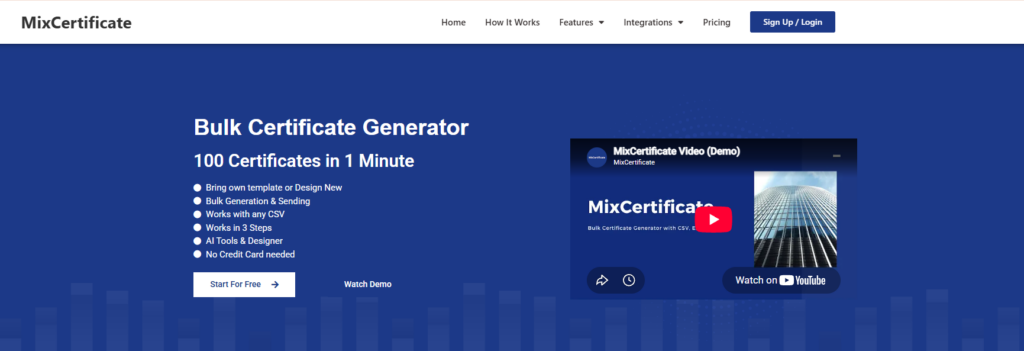
A bulk certificate generation platform purpose-built for spreadsheet-based batch creation, letting institutions turn a single spreadsheet of names and details into hundreds of finished, individually verifiable certificates in one pass. The platform is designed around full branding control, so logos, authorized signatures, and official seals stay consistent across every certificate in the batch rather than needing manual placement on each one.
- Pros: Generates hundreds of certificates from a single spreadsheet upload, full control over logos, signatures, and seals, built-in QR/link verification, no design skills required
- Cons: Less suited for one-off, highly artistic single certificates where a designer wants full creative freedom
- Best for: Schools, academies, and institutions running recurring bulk academic or event-based certification
Canva

A general-purpose design tool that includes certificate templates among its much broader library covering everything from social media graphics to presentations. It works well for a single, visually polished certificate where someone wants to pick a style and customize colors and text through a familiar drag-and-drop editor, but it wasn’t built with institutional issuance in mind.
- Pros: Large template library, familiar drag-and-drop editor, useful for a single polished-looking certificate
- Cons: No native bulk generation from a spreadsheet, no built-in verification, precise placement of official seals and signatures across a batch is manual and inconsistent
- Best for: A single certificate or a very small batch where design variety matters more than volume
Certifier
A certificate and badge generation platform built primarily for online course providers who need to issue completion credentials at scale. It handles bulk generation and verification reasonably well, but its pricing tiers and feature set are shaped around corporate training and course-completion use cases rather than academic institutions, which means schools often end up paying for course-marketplace features they don’t use while still lacking academic-specific layouts such as report-card style certificates or mark sheets.
- Pros: Supports bulk generation, includes verification, reasonably easy to use
- Cons: Priced and built around corporate and course-completion workflows, so schools often pay for features they don’t need while missing academic layouts like report-card style certificates
- Best for: Online course providers issuing completion certificates at scale
Google Docs / Word

Standard document editors most people already have access to, used to manually lay out a certificate one at a time using text boxes, borders, and inserted images for signatures or seals. They offer complete manual control over every element and cost nothing extra to use, but there’s no automation layer, so any real volume of certificates means repeating the same manual formatting work for each one, with formatting drift and copy-paste errors becoming likely as the batch grows.
- Pros: Full manual control over layout, no cost, no new software to learn
- Cons: No automation or bulk generation, no verification, high effort and error risk at any real volume
- Best for: A one-off certificate with no repeat need
Adobe Express
A design tool geared toward producing visually rich, single-certificate layouts, drawing on Adobe’s broader design ecosystem for templates, fonts, and graphic elements. It suits situations where the certificate itself needs to look like a standout design piece, such as an award or recognition certificate meant to be framed, but it isn’t built for administrative-style bulk issuance and has no native way to generate large batches from structured data.
Pros: Strong design flexibility and visual templates, good for eye-catching layouts
Cons: Limited bulk generation, no native verification, better suited to design work than administrative volume
Best for: Design-heavy single certificates rather than batch academic issuance
Why MixCertificate Fits Academic Institutions Specifically
MixCertificate was built around the exact problem schools face: generating a large number of certificates quickly, without design skills, while keeping full control over how the school’s identity appears on every single one.
For a school administrator, the workflow looks like this. Upload a spreadsheet of student names along with the relevant detail, whether that’s a class rank, an event name, or a course completed. Choose or upload a certificate template carrying the school’s crest and signature blocks. Generate the full batch in one go. Every certificate comes out identically formatted, correctly spelled based on the source data, and ready to print or share digitally.
A few things make this particularly useful for education specifically, not just business use cases.
Handles large student batches without slowing down. Annual day certificates for an entire graduating class, sports day certificates across multiple categories, or exam merit lists can all be generated in a single bulk run rather than certificate by certificate.
Keeps school branding consistent. Once a template is set with the school’s logo, signature, and seal placement, every certificate in that batch matches exactly. There’s no risk of one certificate looking slightly different from another because a staff member adjusted something manually.
Supports digital and print use. Many schools now share certificates over WhatsApp groups or email as well as printing physical copies for functions. MixCertificate output works for both without needing separate design work.
Built-in verification protects institutional reputation. As certificates increasingly get attached to college applications, scholarship forms, or resumes years later, having a verifiable record matters. It confirms to any outside party that the certificate is authentic and was actually issued by the school.
No learning curve for office staff. Schools don’t always have a dedicated design person. The platform is built so that whoever handles administrative paperwork can generate certificates without any design background.
Academies running events across multiple verticals, HR-style bulk certification, education batches, and event-based recognitions, use the same underlying platform, which means a school running a mix of academic and extracurricular events doesn’t need three different tools.
Common Use Cases in a School Calendar
Annual day and sports day. These events alone can require certificates across dozens of categories, participation, first through third place, best performer, and special mentions. Bulk generation turns what used to take a full week of preparation into an afternoon’s task.
Term-end academic recognition. Merit certificates for top scorers in each subject or class rank certificates at the end of a term or semester follow a repeatable format that’s ideal for template-based bulk generation.
Inter-school competitions. Quiz contests, debate competitions, and science exhibitions hosted by a school for outside participants need a higher volume of certificates generated quickly, often on the same day as the event.
Workshops and short courses. Schools increasingly run add-on programs, coding workshops, personality development sessions, summer camps, that issue their own completion certificates separate from the regular academic calendar.
Alumni and long-term records. Verification links matter most years later, when a former student needs to prove they completed a program or won an award, and the original paperwork has long been misplaced.
Payment and Getting Started
If your school is evaluating MixCertificate for the first time, payment for the service is risk free, so there’s no pressure to commit before you’ve confirmed it actually fits your school’s certificate workflow. This lets academic coordinators test a real batch, a section’s worth of merit certificates or a class set of participation certificates, before rolling it out school-wide for a bigger event like annual day.
Frequently Asked Questions
Can we use our own school logo and signatures on certificates?
Yes. Templates support uploading your school’s crest, letterhead elements, and multiple signature blocks so certificates look consistent with your institution’s existing paperwork.
How many certificates can be generated in one batch?
Bulk generation is built for exactly this. Whether it’s fifty students in a section or five hundred across a full grade, the process works the same way, upload the list, generate the batch.
Do we need design experience to create a template?
No. The platform is designed for administrative and teaching staff who don’t have a design background. Most schools can go from account setup to their first batch of certificates within the same session.
Is student data kept secure?
Data uploaded for certificate generation, names, classes, and achievement details, is used solely to populate the certificates being generated for that batch.
Can certificates be verified after they’re issued?
Yes. Certificates generated through the platform carry a verification option so that anyone checking a certificate’s authenticity later, a college, an employer, or another institution, can confirm it was genuinely issued.
Final Thoughts
Certificate generation is one of those administrative tasks that quietly consumes far more staff time than it should, especially during peak periods like annual functions and exam result announcements. Moving from manual, one-by-one creation to a bulk certificate platform isn’t just a convenience upgrade, it directly reduces errors, keeps school branding consistent, and gives every certificate issued a verifiable record that holds up years later.
For schools and academies evaluating their options, MixCertificate is built specifically to handle the volume and branding requirements academic institutions deal with, without requiring design expertise from staff who are already stretched across other responsibilities. Explore the education plans to see which tier fits your school’s certificate volume, and generate your first batch to see the workflow in action before committing school-wide.
Also Read Related Blog :





One Response