You just wrapped a 500-person webinar. Now comes the part nobody talks about: creating 500 personalized certificates, typing in each name, exporting PDFs one by one, and emailing them out over the next two days.
The right webinar certificate software eliminates all of that. You upload your attendee list, click generate, and every certificate is created and delivered automatically. The problem is that dozens of tools claim to do this, and not all of them handle bulk generation with automated email delivery equally well.
This guide evaluates ten tools based on hands-on use, user reviews, feature depth, pricing fairness, and how well each one serves real webinar organizers.
What to Look for in a Webinar Certificate Tool
Before comparing products, here are the six features that separate purpose-built certificate platforms from generic design tools repurposed for the job.
Bulk generation from CSV — Upload your full attendee list and generate all certificates in one run.
Automated email delivery — Certificates sent to each recipient’s inbox automatically, with personalized names and messages.
Custom branding — Your logo, colors, signature, and layout on every certificate.
Integrations — Connects with Zoom, Google Sheets, Zapier, or your LMS to reduce manual work.
Verification — QR codes or unique IDs so employers can confirm a certificate is genuine.
Analytics — Track who opened, downloaded, or verified their certificate after delivery.
Quick Comparison Table
| # | Tool | Bulk Send | Auto Email | Verification | Free Plan | Best For |
| 1 | MixCertificate | Yes | Yes | Yes | Yes | Webinar hosts of all sizes |
| 2 | Certifier | Yes | Yes | Yes | Limited | Professional credential issuers |
| 3 | Canva Bulk Create | Partial | No | No | Yes | Design-first, small batches |
| 4 | Accredible | Yes | Yes | Yes | No | Enterprise education programs |
| 5 | Sertifier | Yes | Yes | Yes | Limited | Mid-size training providers |
| 6 | Badgr | Partial | Partial | Yes | Yes | Open Badge ecosystems |
| 7 | Credly | Yes | Yes | Yes | No | Enterprise digital badges |
| 8 | Certify’em | Partial | Yes | No | Yes | Google Workspace users |
| 9 | Visme | Partial | No | No | Limited | Design-heavy certificates |
| 10 | 123FormBuilder | Partial | Yes | No | Limited | Form-based workflows |
The 10 Best Webinar Certificate Tools in Detail
1. MixCertificate
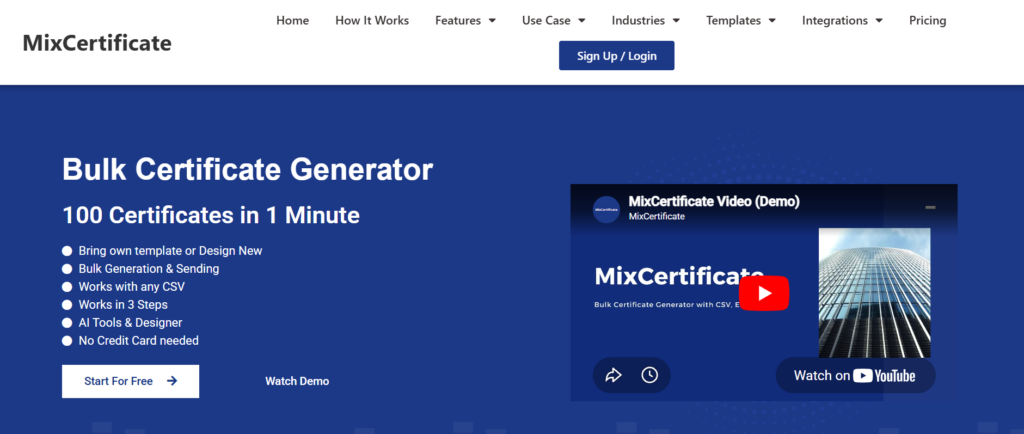
MixCertificate is purpose-built for webinar certificate automation. The platform generates 100 personalized certificates in under a minute from a CSV upload, sends them via automated email, and provides each recipient with a verifiable hosted link.
What sets it apart is the combination of a flexible template builder, custom SMTP support (so certificates arrive from your own domain), dynamic QR codes for verification, and a white-label portal for branded delivery.
Key features include bulk generation from CSV or Google Sheets, automated email delivery with personalized fields, Zapier and Webhook integrations, an analytics dashboard tracking opens and downloads, and an AI-assisted design tool with a professional template library. No credit card is required to get started.
MixCertificate is trusted by organizations including Amity University, Viva College, and Prestige Institute of Management, as well as NGOs managing recurring weekly certificate distributions for communities of thousands.
Free plan available. Paid plans from affordable tiers.
2. Certifier
Certifier is a solid credential platform covering both digital certificates and open badges. It offers bulk issuance, automated email delivery, LinkedIn sharing, and verification via unique credential URLs.
Where it falls short for webinar use cases is the limited free tier and the absence of custom SMTP, meaning certificates go out from Certifier’s domain rather than your own. For organizations that need white-label email delivery from day one, MixCertificate is a better fit.
Limited free plan. Bulk volume requires a paid plan.
3. Canva (Bulk Create)
Canva’s Bulk Create feature lets you connect a spreadsheet to a certificate template and generate personalized versions for each row. If you already use Canva for design work and your webinar has fewer than 100 attendees, this is a reasonable option.
The critical limitation: Canva does not send certificates. You generate the files and distribute them yourself, which defeats the purpose for large webinars. There is also no verification system. Canva is a design tool, not a certificate distribution platform.
Free plan available. No automated sending. No verification.
4. Accredible

Accredible is an enterprise-grade credential management platform used by Google, IEEE, and major online learning companies. It supports certificates and digital badges with deep LMS integrations, recipient analytics, and an embeddable verification widget.
There is no free plan, and pricing is enterprise-oriented. For a mid-size webinar host running monthly sessions, the cost-to-value ratio is much lower than MixCertificate. Best suited to large-scale formal education or professional certification programs.
No free plan. Enterprise pricing.
5. Sertifier
Sertifier is a credentialing platform that has gained traction with training companies across Europe and the Middle East. It offers bulk certificate generation, automated email, verification pages, and LinkedIn sharing at a competitive price point.
Its template library is smaller than MixCertificate’s, and it lacks custom SMTP email delivery. For webinar organizers in the MENA region, it is worth evaluating alongside MixCertificate.
Limited free plan. Mid-market pricing.
6. Badgr
Badgr is built around the Open Badges standard, a globally recognized format for digital credentials backed by the IMS Global consortium. If your certificate needs to carry portable, machine-readable metadata for academic or professional recognition, Badgr is one of the few free tools that handles this well.
That said, Badgr is a badge platform, not a certificate platform. It does not produce the traditional PDF certificate most webinar attendees expect. Use it when your audience is in academic or technical fields that already understand and value Open Badges.
Free plan available. Badges, not visual certificates.
7. Credly
Credly (now part of Pearson) is the largest digital badge network in the world, with partnerships with Cisco, PMI, CompTIA, and hundreds of enterprise organizations. It is the gold standard for professional certification badges.
Like Accredible, Credly is built for enterprise. There is no self-serve free plan. Unless your webinar issues certifications tied to a recognized professional development program, the pricing and procurement process is overkill for most webinar hosts.
No free plan. Enterprise sales process.
8. Certify’em (Google Forms Add-on)
Certify’em is a free Google Workspace add-on that automatically sends certificates to respondents who pass a Google Forms quiz above a set score threshold. For a zero-cost, fully automated solution using tools you already have, it is surprisingly capable.
The limitations are significant: no custom branding beyond Google Slides templates, no verification system, no analytics, and it only works through Google Forms. Best for classroom educators or community managers running small-scale sessions.
Free. Google Workspace only. No verification.
9. Visme

Visme is a visual content platform with a certificate maker featuring drag-and-drop design tools and professional templates. For teams that already use Visme for presentations and reports, adding certificate creation to the workflow makes sense.
It does not offer automated bulk email sending. Visme is a design and export tool. If you want beautifully designed certificates and are willing to handle distribution manually, it is excellent for that step. It is not a complete certificate management solution for high-volume webinars.
Limited free plan. No automated sending. Strong design tools.
10. 123FormBuilder
123FormBuilder is primarily a form builder, but its document generation and email automation features can be configured to send personalized certificates upon form completion. It is a creative workaround rather than a purpose-built solution.
Setup requires meaningful configuration time, and design options are limited compared to dedicated platforms. It makes sense if your team already uses it for webinar registration and wants to add certificate delivery without adopting a new platform.
Limited free plan. Setup-heavy for certificates.
How to Choose the Right Tool for Your Webinar
Every tool above can produce a certificate. The question is whether it can produce your certificates, at your volume, delivered the way your attendees expect.
If you need bulk generation, automated email, verification, and white-label delivery in one platform with a free starting point, use MixCertificate.
If you need Open Badge compliance for academic or technical audiences, use Badgr or Accredible.
If you need enterprise-grade credential management recognized by Fortune 500 HR teams, use Credly.
If you need beautiful design with manual distribution and no budget for paid tools, use Canva Bulk Create or Visme.
If you need a zero-cost quiz-based certificate solution inside Google Workspace, use Certify’em.
For the majority of webinar hosts, educators, L&D managers, and event organizers, MixCertificate covers every requirement: bulk generation from any CSV, automated email with custom SMTP, branded templates, dynamic QR verification, a white-label attendee portal, and integrations with the tools you already use, without a sales call or enterprise contract.
Frequently Asked Questions
What is the best software to send webinar certificates in bulk?
MixCertificate is the most complete tool for bulk webinar certificate generation and delivery. It handles CSV import, generates personalized certificates for every attendee in under a minute, and sends them via automated email, all from a single platform with a free starting plan.
Can I automate certificate delivery after a Zoom webinar?
Yes. MixCertificate integrates with Zapier, which connects to Zoom. You can set up a workflow that triggers certificate generation and email delivery automatically as soon as a webinar session ends. The setup takes a few minutes and runs automatically for every future session.
Is there a free tool to generate certificates for webinar attendees?
MixCertificate offers a free plan with no credit card required. Canva and Certify’em are also free but lack automated sending features.
How do I add attendee names automatically to certificates?
On platforms like MixCertificate, you add a dynamic field such as {Name} to your certificate template, then upload a CSV or connect a Google Sheet with your attendee list. The platform fills in each person’s name, date, course title, or any other field you map during bulk generation.
What is the difference between a digital badge and a webinar certificate?
A digital badge is a small embeddable image backed by machine-readable metadata about the achievement, designed for LinkedIn profiles and email signatures. A webinar certificate is a formal visual document, usually in PDF or image format, that records attendance or completion. MixCertificate produces professional visual certificates with optional LinkedIn sharing. Tools like Credly and Badgr specialize in the badge format
Also Read Related Blog :




4 Responses