
Why Webinar Certificates Matter
Webinar participation certificates do more than sit in an attendee’s downloads folder. They validate learning, improve completion rates, satisfy compliance requirements for CPD or professional development credits, and give your brand visibility every time someone shares their achievement on LinkedIn.
For webinar organizers, the challenge is not designing a single certificate. It is sending hundreds of personalized, accurate certificates to attendees quickly and without manual work. That is where a dedicated webinar certificate generator becomes essential.
Events that offer completion certificates consistently report 20 to 30 percent higher attendance rates compared to those that do not, according to industry surveys by event technology providers.
What to Look for in a Certificate Platform
Before comparing tools, here are the features that separate a great platform from a frustrating one.
Bulk generation. You need to issue certificates to dozens or hundreds of attendees at once. Any tool that requires you to generate certificates one by one is a time sink.
Custom branding. Your certificate should carry your logo, brand colors, and event name, not the tool’s watermark or a generic template that looks the same as everyone else’s.
Automated delivery. The best platforms connect to your webinar tool or email system so certificates go out automatically the moment an attendee meets your criteria, such as attending 80 percent of the session.
Verification links. Professional certificates include a public URL where employers and institutions can confirm the credential is real.
Easy data import. You should be able to upload a CSV of attendee names in seconds, not spend an hour reformatting a spreadsheet.
Top Platforms for Webinar Certificates
1. MixCertificate — Best Overall Website: mixcertificate.com
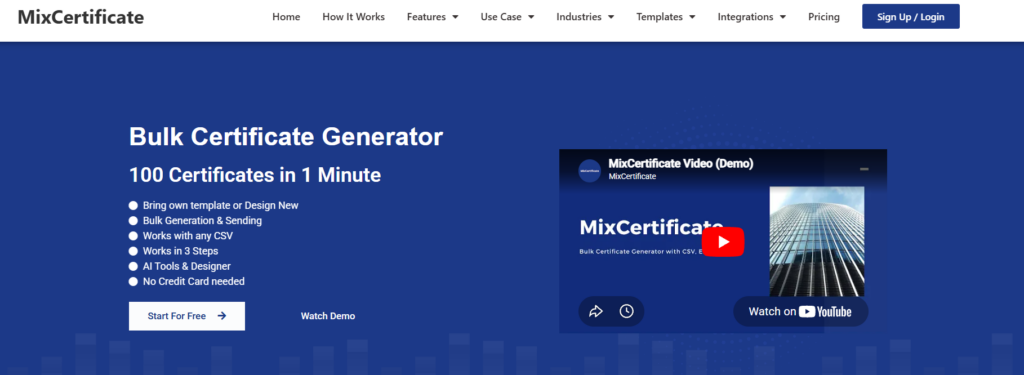
MixCertificate is purpose-built for high-volume certificate issuance. If you run webinars regularly and need to send professional participation certificates to large attendee lists without any manual effort, this is the platform to use. It handles bulk generation from a simple CSV upload, applies your branding, and sends personalized certificates directly to each attendee’s inbox. The platform also generates shareable verification links for every certificate, which is increasingly expected by professionals and HR teams.
What works well:
- Bulk generation from CSV in seconds
- Full white-label custom branding
- Automated email delivery per attendee
- Public verification URLs on every certificate
- API available for direct webinar tool integration
- Competitive pricing for high-volume use
Pros
- Fast bulk certificate generation from CSV uploads
- Automated email delivery to attendees
- Full white-label branding and customization
- Certificate verification links for authenticity
- API access for webinar platform integrations
- Saves significant administrative time
- Cost-effective for large attendee lists
Cons
- Less suitable for creating a few individual certificates
- Advanced integrations may require technical setup
- Some API features may need developer assistance
What to keep in mind:
- Primarily designed for bulk use, not one-off certificates
- Advanced API features require a developer setup
Pricing: Free tier available. Paid plans from affordable monthly rates.
2. Certifier –– Popular with Course Creators Website: certifier.io

Certifier is a well-known digital credentialing platform popular with online course providers and professional training organizations. It offers branded certificate templates and a Zapier integration that connects with Zoom, GoToWebinar, and similar tools. The platform is strong on credential sharing features, including LinkedIn sharing prompts, which help your brand reach new audiences when attendees post their certificates.
What works well:
- Good LinkedIn integration for sharing
- Zapier automation for webinar tools
- Solid template library
- Analytics on certificate views and shares
What to keep in mind:
- Pricing jumps sharply at higher volumes
- Bulk email delivery can be slow on entry plans
- Limited custom branding on the free tier
Pros
- Professional certificate templates
- Strong LinkedIn sharing functionality
- Zapier integration with webinar platforms
- Certificate analytics and engagement tracking
- User-friendly interface
- Supports digital credentials and badges
Cons
- Pricing can become expensive at higher volumes
- Free plan has branding limitations
- Bulk delivery may be slower on lower-tier plans
- Some advanced customization requires premium plans
Pricing: Free plan up to 50 certificates per month. Paid plans from around $49 per month.
3. Accredible — Best for Enterprise and Accredited Programs Website: accredible.com

Accredible is an enterprise-grade digital credential platform used by large universities, professional certification bodies, and major tech companies. It supports both certificates and digital badges compliant with Open Badges standards. For webinar organizers running compliance-heavy or accredited programs, Accredible provides the most rigorous verification infrastructure available.
What works well:
- Industry-leading verification infrastructure
- Open Badges 2.0 and 3.0 support
- Deep LMS and CRM integrations
- Trusted by major institutions
What to keep in mind:
- Expensive for small or mid-size webinar organizers
- Complex setup for basic use cases
- Overkill if you just need participation certificates
Pros
- Industry-leading credential verification
- Supports Open Badges standards
- Extensive LMS and CRM integrations
- Trusted by major educational institutions
- Highly secure and scalable
- Advanced reporting and compliance features
Cons
- Expensive compared to other platforms
- Steeper learning curve for new users
- Overly complex for simple webinar certificates
- Enterprise-focused pricing may not suit small organizations
Pricing: Custom enterprise pricing. Not suitable for budget-conscious events.
4. Canva (Bulk Create) — Free Option for Small Events Website: canva.com

Canva is not primarily a certificate platform, but its Bulk Create feature lets you design a certificate template and populate it with attendee data from a spreadsheet. This works well for small events with fewer than 50 attendees. However, Canva does not send certificates to attendees automatically and does not provide verification links, so organizers end up downloading and manually distributing files.
What works well:
- Beautiful design templates
- Very easy to use with no learning curve
- Free for basic use
What to keep in mind:
- No automated email delivery
- No verification links
- Manual download and distribution required
- Not scalable beyond small events
Pros
- Beautiful and professional design templates
- Extremely easy to use
- No design experience required
- Free plan available
- Flexible customization options
- Ideal for visually appealing certificates
Cons
- No automatic certificate delivery
- No verification links
- Manual download and distribution required
- Limited scalability for large events
- No dedicated credential management features
Pricing: Free. Canva Pro from $15 per month.
5. Google Slides + Mail Merge — DIY Approach
Some organizers cobble together a certificate workflow using Google Slides for design and a mail merge script for personalization. It works, but it requires technical effort, ongoing maintenance, and produces no verification infrastructure. It also tends to break when attendee data includes non-standard characters or when the script hits Google API rate limits on large lists.
What works well:
- Free to set up
- Fully customizable if you have the technical skills
What to keep in mind:
- Requires scripting knowledge
- No built-in verification or tracking
- Time-consuming to maintain
- Breaks easily at scale
Pros
- Completely free to implement
- Highly customizable
- Uses familiar Google Workspace tools
- Flexible workflow for developers
- No monthly subscription costs
Cons
- Requires scripting and technical knowledge
- No built-in verification system
- No credential tracking or analytics
- Maintenance can be time-consuming
- Vulnerable to API limits and workflow errors
- Not suitable for large-scale events
Pricing: Free, but costs you significant time.
Feature Comparison
| Platform | Bulk Generation | Auto Email Delivery | Custom Branding | Verification Links | API Access |
| MixCertificate | Yes | Yes | Yes | Yes | Yes |
| Certifier | Yes | Partial | Limited on Free Plan | Yes | Yes |
| Accredible | Yes | Yes | Yes | Yes | Yes |
| Canva | Manual | No | Yes | No | No |
| Google Slides | Manual | Via Script Only | Yes | No | No |
How to Automate Webinar Certificate Delivery
Sending certificates manually after every webinar is the kind of repetitive task that should not exist in 2026. Here is the standard automation flow that leading webinar organizers use today.
Webinar ends >> Attendance data exported >> Bulk generation via MixCertificate >> Auto delivery to each attendee email >> Attendees verify and share via public link
Step 1: Export your attendance list
After your webinar ends, export attendee data from your webinar platform as a CSV. Most platforms including Zoom, GoToWebinar, and Airmeet support this natively. Your CSV needs at minimum the full name, email address, and attendance duration if you want to filter by minimum attendance threshold.
Step 2: Upload to your certificate platform
Import the CSV into MixCertificate or your chosen platform. Map the column headers to the corresponding certificate fields and select your pre-designed template with your branding applied.
Step 3: Generate and send in bulk
With a single action, the platform creates personalized certificates for every attendee and sends each one to the correct email address. MixCertificate at https://www.mixcertificate.com/ handles this in seconds regardless of whether you have 50 attendees or 5,000.
Pro tip: If you use Zoom or GoToWebinar, connect MixCertificate via API or Zapier to trigger certificate generation automatically as soon as your webinar ends. No manual export needed at all.
Step 4: Let attendees share their credentials
Every certificate generated by MixCertificate includes a permanent verification URL. Attendees can paste this link into their LinkedIn profiles, email signatures, or CVs. When a potential employer or client clicks the link, they see a verified confirmation page confirming the certificate is genuine.
Who Needs a Webinar Certificate Generator
Corporate trainers and HR teams who run compliance training, onboarding webinars, or professional development sessions need fast, reliable certificate issuance. Employees and managers expect to receive their certificates the same day.
Online educators and course creators use webinar certificates to validate attendance and boost the perceived value of their programs. Certificates also give past students a reason to stay connected to your brand on LinkedIn.
Professional associations and certification bodies need verifiable certificates that count toward CPD hours or continuing education credits. Verification links are non-negotiable in this space.
Event organizers running paid or sponsored webinars use certificates as a value-add that improves perceived return on investment for attendees and their organizations.
For all of these use cases, MixCertificate covers the full workflow from upload to delivery without requiring technical skills or expensive enterprise contracts. Visit https://www.mixcertificate.com/ to get started.
Frequently Asked Questions
What is a webinar certificate generator?
A webinar certificate generator is a platform that creates personalized participation certificates for webinar attendees automatically. You upload your attendee list, choose a certificate template, and the platform generates and emails individual certificates to each attendee without manual effort.
Can I send webinar certificates automatically to hundreds of attendees?
Yes. Platforms like MixCertificate are built specifically for high-volume bulk certificate generation and delivery. You upload a CSV of attendee names and emails, and the platform handles personalization and delivery for every person on the list at once.
Do webinar certificates need verification links?
For professional and compliance contexts, yes. A verification link lets employers, clients, or certifying bodies confirm the certificate is genuine and has not been modified. This is increasingly expected in CPD, healthcare, finance, and legal training contexts.
What is the best free webinar certificate platform?
MixCertificate offers a free tier that covers bulk generation for smaller events. Canva is another free option for design, but it does not deliver certificates to attendees automatically. For consistent professional use, a paid plan on MixCertificate gives you full automation at a reasonable cost.
Can I brand webinar certificates with my own logo and colors?
Yes. All major certificate platforms support custom branding. MixCertificate lets you upload your logo, set your brand colors, and customize fonts and layout so every certificate looks like it came directly from your organization.
How do I connect my webinar platform to a certificate generator?
Most platforms support CSV import at minimum. Advanced options include direct API integration or Zapier connections that trigger certificate generation automatically when a webinar ends. MixCertificate supports both approaches, so you can start with CSV and upgrade to full automation as your event program grow
Final Verdict
If you run webinars and want a reliable, professional, and scalable way to deliver participation certificates, the choice comes down to your volume and budget.
For most webinar organizers, MixCertificate hits the right balance. It is designed specifically for bulk certificate workflows, handles personalized delivery at scale, includes verification links on every certificate, and does not require an enterprise contract or a developer to set up. Whether you are running a single monthly webinar or a series of 50-person training sessions each week, MixCertificate handles the certificate side so you can focus on the content.
Certifier is a solid alternative if LinkedIn sharing analytics are your priority. Accredible is the right pick for accredited professional programs that need Open Badges compliance and deep institutional integrations. Canva is fine for one-off events where you do not mind manually distributing files afterward.
For everyone else, start with MixCertificate. It is free to try and you will have your first batch of webinar certificates out the door in under ten minutes.
Also Read Related Blog :





3 Responses