
A certificate is a small piece of design work that does a big job. It tells a student their course is finished. It tells an employee their training counted. It tells an event volunteer that their time mattered. None of that requires a graphic designer anymore — it requires picking the right free tool for the job you actually have.
That’s the catch most “Best Free Certificate Generator Software” roundups skip over. There isn’t one best tool. There’s a best tool for a one-off classroom project, a different one for a 400-person webinar series, and a different one again if you need certificates that people can verify and share on LinkedIn. This guide walks through nine free certificate generator tools, what their free plans genuinely let you do (not just what the marketing page claims), where each one breaks down, and how to match the tool to your situation instead of guessing.
Why Certificate Generation Became a Real Category
Certificates used to be a print-shop job. Now they’re a workflow problem, and that shift explains why so many tools exist.
Online learning is the biggest driver. Course platforms, cohort-based programs, and independent instructors all need a way to mark completion at the end of a module, and doing that by hand in a design tool doesn’t scale past a handful of students.
HR and L&D teams run the second-largest use case. Compliance training, onboarding modules, and internal certifications all generate a batch of names that need a certificate attached to them on a schedule, often tied to an LMS or a spreadsheet export.
Event organizers are the third pattern — school competitions, hackathons, webinars, and conferences all need participation or achievement certificates issued in a short window, often the same day as the event.
Each of these has a different volume, a different urgency, and a different tolerance for design fiddling. That’s why “which free tool is best” only makes sense once you know which of these three you actually are.
How We Evaluated These Tools
Rather than comparing marketing pages, this list is built around five practical tests anyone can run on their own account before committing a workflow to a tool:
Time to first certificate. How many clicks from sign-up to a downloadable, non-watermarked certificate?
Real bulk capacity on the free tier. Not “supports bulk” as a checkbox, but the actual number of certificates or the actual gate (CSV upload allowed? Row limit? Locked behind a trial?).
Export fidelity. Does the free-tier PDF or PNG hold up at print resolution, or does it visibly compress?
Data handling for uploaded names. If you’re uploading a class roster or an employee list, does the tool say anything concrete about how that data is stored or deleted?
What breaks when you scale up. Every free tool has a ceiling. The useful question is where it sits and what it costs to cross it.
What to Look for Before You Pick One
Ease of use. A drag-and-drop editor beats a template you have to fight with, especially if you’re not touching this tool again for another six months.
Template variety that matches your actual use case. A stack of generic “Certificate of Achievement” templates isn’t useful if you need a training-completion design with a specific credential ID field.
Bulk generation that’s actually bulk. If you need fifty or two hundred certificates, uploading a name list once should replace fifty separate edits. Test this before you commit, since many “bulk” features are locked behind a paid plan even when the free tier lists them.
Export quality. Free doesn’t have to mean blurry. Check the actual downloaded file, not the in-editor preview, since some tools compress free-tier exports.
No forced watermark, or a clearly stated one. A visible logo stamped across a certificate someone is meant to be proud of undercuts the whole point. If a tool watermarks free downloads, that’s fine as long as it’s disclosed before you build fifty certificates around it.
Data handling. You’re uploading real names and often real email addresses. A platform should say, in plain language, what happens to that list.
The Tools, Compared
1. MixCertificate
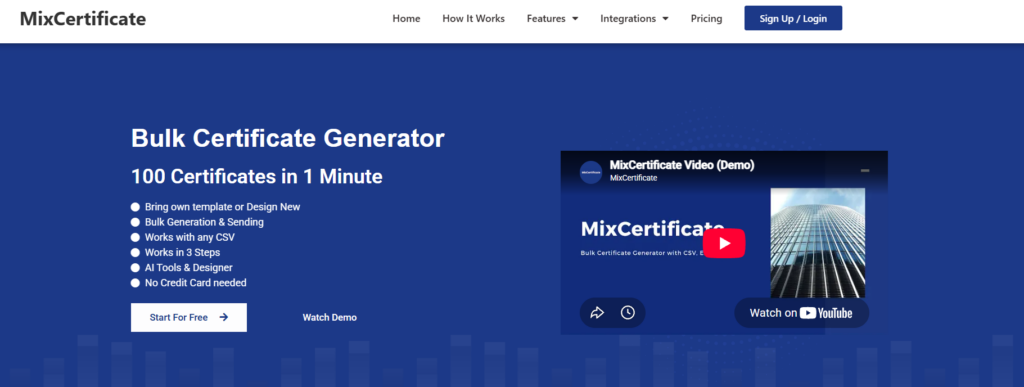
MixCertificate is built specifically around the bulk case — the moment where you have a spreadsheet of forty, four hundred, or four thousand names and need a finished certificate for each one, not a blank canvas to start from.
The core workflow is a CSV or Google Sheet upload mapped to a template, which turns a name list into a completed batch of certificates without touching each one individually. That single design decision is what separates it from general design tools, where bulk output usually means a workaround rather than a built-in feature.
What the free plan actually includes:
- CSV, Google Sheet, and API-based certificate generation without a credit card at sign-up
- A template library covering course completion, event participation, employee recognition, and academic achievement
- Certificate hosting and a shareable verification link per certificate, not just a flat image file
- Dynamic QR codes for verification, which most free-tier competitors reserve for paid plans
Where it’s still maturing:
- Deeper brand customization and white-labeling sit on paid tiers
- The template library, while purpose-built, is smaller than a general design tool’s catalog since it’s newer to the market
Best fit: anyone issuing more than a handful of certificates at once — course instructors, HR teams, webinar hosts, and event organizers who’d otherwise be editing files one at a time.
2. Canva
Canva remains the default answer for “make a certificate for free” because almost everyone already has an account, and its certificate template category is enormous.
Free plan reality:
- A wide range of certificate template styles, from formal borders to playful completion badges
- Full drag-and-drop control over fonts, colors, and logos
- Easy single-certificate or small-batch output
Where it breaks down:
- Bulk personalization for a real list of names requires Canva’s paid Bulk Create feature or a third-party mail-merge workaround
- Many of the best-looking templates and elements sit behind the paid tier, which can make the free version feel like a preview
- It’s a general design tool, not a certificate tool, so nothing about credential verification or hosting exists here
Best fit: one-off certificates or small batches where design freedom matters more than volume.
3. Accredible
Accredible targets a different problem entirely — verifiable digital credentials, not printable certificates.
Free plan reality:
- Digital credentials that recipients can add directly to LinkedIn
- Basic analytics on views and shares
- A path toward a structured credentialing program, not just a one-time certificate run
Where it breaks down:
- The genuinely useful features — custom branding, deeper analytics, API access — sit behind paid plans
- Setup and configuration take real time, which is overkill for a single workshop or event
- Free-tier issuing volume is limited enough that it’s not a serious option for a large one-time batch
Best fit: institutions building a long-term, verifiable credentialing program rather than a single batch of certificates.
4. Certifier

Certifier sits closer to MixCertificate in intent — built for issuing certificates and badges rather than general design — but with a different free-tier shape.
Free plan reality:
- Clean, course-oriented templates
- CSV-based bulk issuing supported on the free tier
- Some course-platform integrations
Where it breaks down:
- The free plan caps how many certificates you can issue per month, which becomes the binding constraint the moment a cohort grows
- Branding customization is limited until you upgrade
- Template selection is smaller than a general design tool’s
Best fit: small course creators whose monthly certificate volume comfortably sits under the free cap.
5. Google Slides / Google Docs Templates
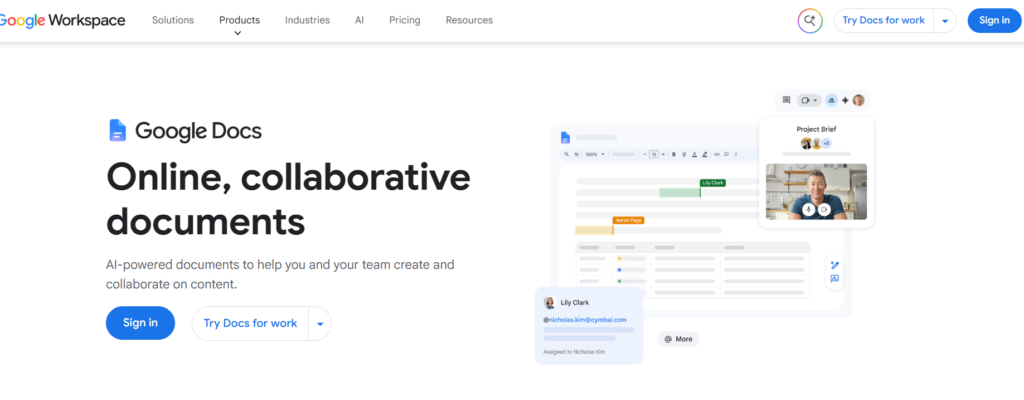
For the simplest possible case — one certificate, right now, no new account — Google’s built-in templates still work.
Free plan reality:
- Fully free, no sign-up beyond an existing Google account
- Familiar interface for anyone who uses Docs or Slides regularly
- Easy to co-edit a design with a colleague before printing
Where it breaks down:
- No native bulk generation; batch output requires a separate mail-merge add-on
- A handful of basic templates, not a real library
- Output tends to look plain next to a purpose-built certificate tool
Best fit: a single low-stakes certificate for a classroom project or a one-time favor, not a repeatable workflow.
6. Adobe Express
Adobe Express (formerly Adobe Spark) brings Adobe’s design ecosystem into a simpler, browser-based editor with a solid certificate template set.
Free plan reality:
- Access to Adobe’s stock design assets and fonts within certificate templates
- Clean export quality for PDF and image formats
- Easy resizing if you need the same certificate in print and social-share dimensions
Where it breaks down:
- Bulk personalization isn’t a native feature; you’re back to one certificate at a time or an external merge tool
- Some premium templates and assets require an Adobe subscription
- No verification, hosting, or credential-tracking layer at all
Best fit: a single well-designed certificate where visual polish matters more than volume.
7. Visme
Visme leans into infographic-style design, and its certificate templates carry that same visual richness.
Free plan reality:
- Certificate templates with more graphic detail than most competitors’ free tiers
- A reasonable number of free downloads before hitting a paywall
- Basic brand kit support to keep colors and logos consistent
Where it breaks down:
- The free plan’s download limit means it’s not built for repeated, ongoing use
- Bulk data merge is a paid-tier feature
- Watermarking applies to some free exports depending on the template
Best fit: a visually striking one-off certificate, such as an award for a competition winner.
8. Genially
Genially is better known for interactive presentations, but its certificate templates offer a more modern, less “traditional award” look.
Free plan reality:
- Distinctive, contemporary template designs that stand out from the classic gold-border look
- Free public sharing via a link
- Simple editor with no steep learning curve
Where it breaks down:
- Free-tier exports are limited, and high-resolution download often needs a paid plan
- No bulk generation or name-list upload on the free tier
- Not built with certificate verification or hosting in mind
Best fit: a single certificate for a modern-brand event where the classic template look doesn’t fit.
9. Fotor
Fotor rounds out the list as a straightforward, photo-editor-turned-design-tool option with certificate templates included.
Free plan reality:
- Simple, fast editor with basic certificate layouts
- Free PNG export for casual use
- No account complexity for a quick one-time need
Where it breaks down:
- Template variety for certificates specifically is thin compared to design-first competitors
- No bulk or data-merge capability
- Higher-resolution export and some templates require the paid tier
Best fit: a fast, no-frills certificate when you don’t want to learn a new tool for a single use.
Comparison Table
| Tool | Best For | Real Bulk Generation (Free Tier) | Verification / Hosting | Design Flexibility |
|---|---|---|---|---|
| MixCertificate | Bulk certificates for courses, events, training | Yes — CSV, Sheets, API | Yes — hosted link + dynamic QR | Purpose-built templates |
| Canva | One-off or highly custom designs | No — paid Bulk Create needed | None | Excellent |
| Accredible | Verified credentials at scale | Limited on free tier | Yes — LinkedIn-shareable | Moderate |
| Certifier | Course creators under a monthly cap | Yes, capped monthly | Basic | Moderate |
| Google Slides/Docs | One-time, very basic needs | No, needs add-on | None | Low |
| Adobe Express | Single polished certificate | No | None | High |
| Visme | Visually rich single certificate | No | None | High |
| Genially | Modern-style single certificate | No | Public link only | High |
| Fotor | Fast, casual single certificate | No | None | Low |
How to Generate a Free Certificate in Under 10 Minutes
If you just need one certificate right now, the fastest realistic path looks like this:
- Pick based on volume first, design second. One certificate: Canva, Adobe Express, or Google Slides. A batch of names: MixCertificate or Certifier.
- Start from a template, don’t build from blank. Every tool on this list has a certificate category — use it as a base and edit from there.
- Check the export before you finalize the design. Download a test certificate and open the actual file. Confirm there’s no watermark you didn’t expect and that the resolution holds up if you plan to print it.
- For a name list, confirm the merge step before designing fifty templates by hand. Upload a small test file (three or four names) first to confirm the tool maps columns correctly, rather than discovering a formatting issue after generating the full batch.
- Save the source file or template, not just the exports. Next semester, next cohort, or next event, you’ll want to reuse the design without rebuilding it.
How to Choose the Right Tool for Your Situation
You have a list of names and need certificates for all of them at once. This is the case a bulk-first tool like MixCertificate is built around. Uploading a CSV or Google Sheet and mapping it to a template will save far more time than editing each certificate individually, and a hosted, verifiable link gives recipients something more durable than a flat image file.
You’re making one or a handful of certificates and want full design control. Canva, Adobe Express, or Visme give you the most creative freedom, with the tradeoff that none of them handle a real bulk name-list well on their free tier.
You’re building a long-term credentialing or badge program. Accredible’s verification and sharing features are worth the setup time, even with a limited free tier, if credentials are meant to be a recurring, checkable part of what you offer.
You need something free right now and nothing else. Google Slides or Docs will get a single certificate out the door with zero new sign-up, at the cost of looking noticeably plainer than a purpose-built tool.
You’re a small course creator with a predictable, modest monthly volume. Certifier’s free tier can work as long as your monthly issuing count stays under its cap — check that number against your actual cohort size before building a workflow around it.
Why Trust and Data Handling Matter Here, Specifically
Search engines and readers increasingly weigh experience, expertise, authority, and trust when judging both content and the tools it recommends — and certificate generators are a category where that actually shows up in practice, not just in theory.
A certificate is a small trust artifact. It represents your course, your company, or your event to the person holding it, and by extension to anyone they show it to. A cheap-looking template undercuts that. So does a platform that goes down mid-batch, or one that’s vague about what happens to the name and email list you just uploaded.
Before committing a real workflow to any of these tools, it’s worth checking three things directly: whether the platform states what happens to uploaded personal data, whether there’s a support channel that actually responds, and whether the certificate — once issued — stays accessible somewhere the recipient can return to, rather than existing only as a file they have to keep track of themselves. Purpose-built platforms tend to handle this last point better than general design tools repurposed for certificates, simply because hosting and verification were part of the original design brief rather than an afterthought.
Frequently Asked Questions
Is it actually possible to generate certificates for free, or is that just a trial?
Yes, for genuine free use rather than a time-limited trial. MixCertificate, Canva, Certifier, and the Google Workspace templates all let you create and download certificates without payment. The difference between them is which specific features — bulk issuing, verification, high-resolution export — are capped or reserved for paid tiers.
Which free tool actually supports bulk generation, not just a “bulk” label on the pricing page?
MixCertificate supports CSV, Google Sheet, and API-based bulk generation directly on its free tier. Certifier also supports bulk CSV issuing but caps the monthly volume. Canva, Adobe Express, Visme, Genially, and Fotor all require a paid plan or an external mail-merge workaround to handle a real name list.
What file format should I use for printed certificates versus digital ones?
PDF holds layout and resolution consistently across devices and printers, which makes it the safer choice for anything physically printed. PNG is fine for digital sharing, email attachments, or social posts, but check the actual exported resolution rather than trusting the in-editor preview.
Do free certificate generators add a watermark?
It varies by tool and sometimes by template within the same tool. Visme and Genially, for example, apply resolution or export limits to some free templates. The safest approach is to generate one test certificate and open the downloaded file before designing an entire batch around a template.
Can the same tool work for both student certificates and employee recognition?
Most of the tools here are flexible enough to cover both, MixCertificate included, since the underlying need — a name, an achievement, a date, and a design — doesn’t really change between a classroom and a workplace. What does change is volume and whether you need a verifiable link, which is the real factor to plan around.
What’s the realistic ceiling before I need to pay for something?
It depends entirely on volume and features, not on being a “student” or “small business.” A one-time batch of a few dozen certificates with no need for verification can often stay fully free. A recurring program with hundreds of certificates a month, or any need for shareable verification, will hit a free-tier limit on almost every tool in this list eventually — the question is just which limit you hit first.
Final Thoughts
The right free certificate generator isn’t the one with the most templates or the biggest brand name. It’s the one that matches your actual volume and your actual need for verification. A single polished certificate for a competition winner calls for a different tool than four hundred training completions that need to go out by Friday.
If your situation is the second one — a list of names, a deadline, and no appetite for editing each certificate by hand — that’s exactly the gap MixCertificate is built to close, with a free plan that’s worth testing against your real workflow before you decide whether to pay for anything at all.
A certificate should feel like a real mark of finishing something, not an afterthought bolted on at the end. Picking the tool that fits how you actually work is what makes sure it lands that way for the people receiving it
Also Read Related Blog :




