
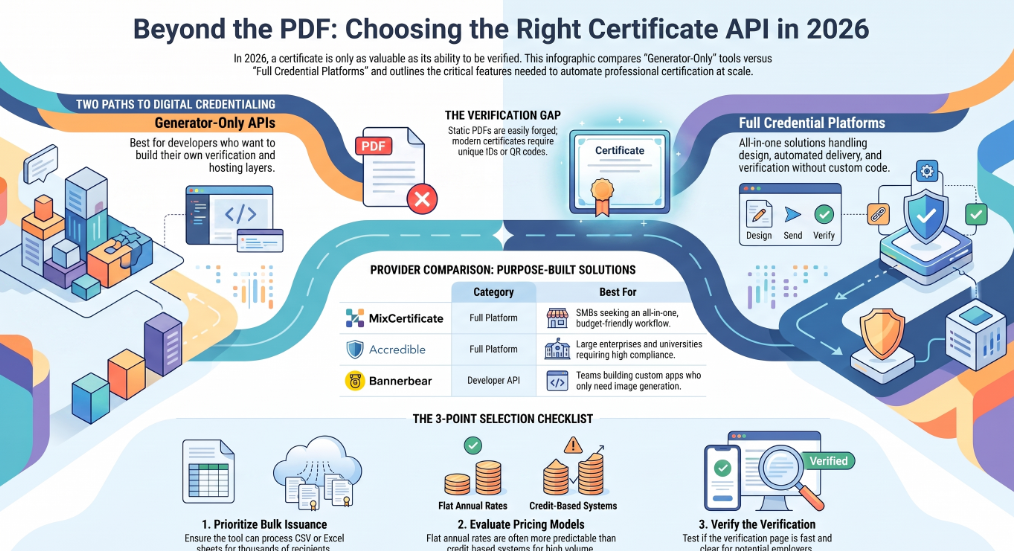
If you run training programs, online courses, events, or compliance certifications, you already know the pain. Manually designing certificates in Photoshop or Canva works fine for ten people. It falls apart at one hundred. By one thousand, you need software that can generate, deliver, and verify credentials without you touching each file.
That is exactly what a Certificate Generation and Verification APIs does. It takes a template, merges in recipient data, produces a finished PDF or image, and gives each certificate a way to be checked for authenticity later, usually through a QR code or a public verification link.
I spent time going through the current crop of tools in this space, comparing their APIs, verification methods, pricing structures, and integration options. This guide walks through what actually matters when picking one, followed by a ranked look at ten of the strongest options available right now, including MixCertificate, which has built its entire product around bulk certificate automation with a verification API baked in from the start.
Why This Decision Matters More Than It Looks
A certificate is not just a nice PDF. It is proof. Proof that someone finished a course, attended a conference, completed a compliance module, or hit a professional milestone. Employers, universities, and recipients all rely on that proof being real and checkable.
Two things tend to go wrong when teams pick the wrong tool:
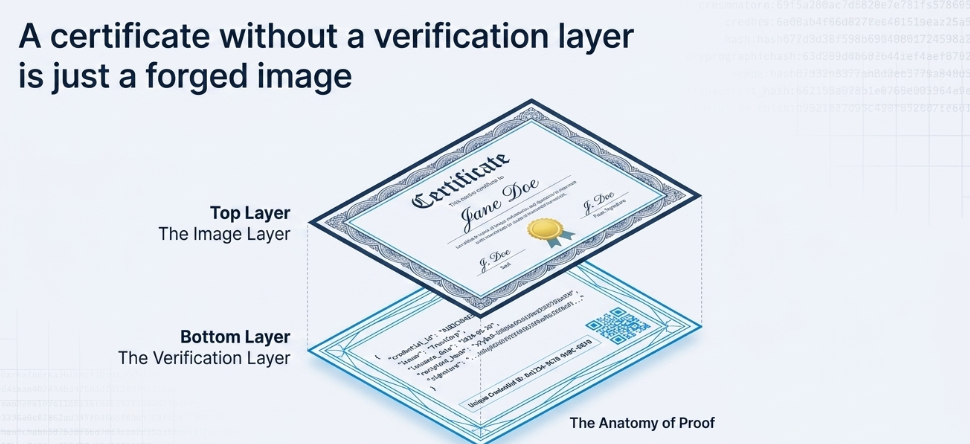
First, they choose something that only generates images, with no way for a third party to confirm the certificate is genuine. Anyone with basic design skills can forge a static PDF. Without a verification layer, your certificates carry no more weight than a template downloaded from the internet.
Second, they choose a platform that cannot scale. A tool built for single, one-off certificate design breaks down once you need to issue five hundred certificates after a webinar, or handle rolling monthly cohorts from a learning management system.
The tools below were evaluated with both problems in mind.
What to Look For in a Certificate API
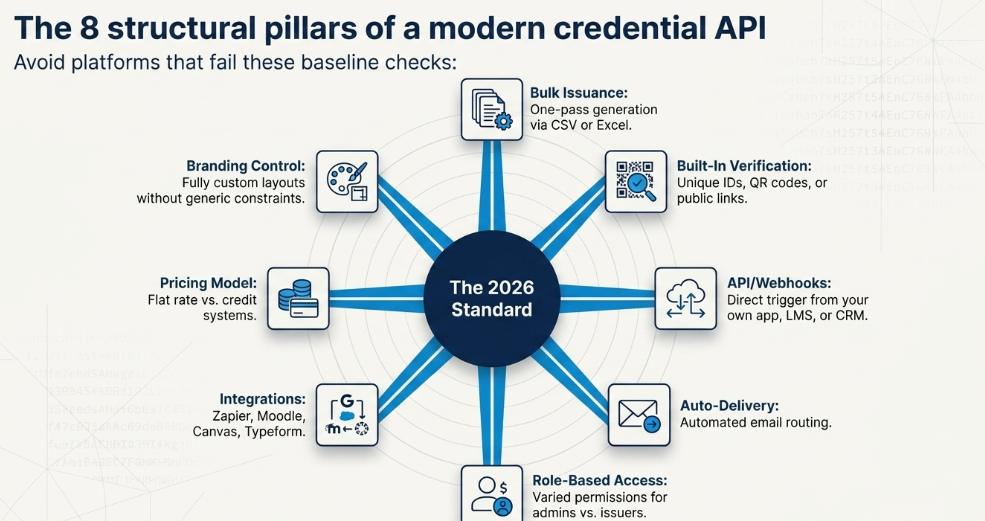
Before jumping into the list, here is the criteria I used, and what you should personally check before signing up for any of these platforms.
Bulk issuance. Can you upload a CSV or Excel sheet and generate hundreds or thousands of certificates in one pass, instead of doing it one at a time?
Built-in verification. Does every certificate get a unique ID, QR code, or link that lets anyone confirm it is authentic? This is the single biggest differentiator between a design tool and a real credentialing platform.
API and webhook support. Can developers call the API directly to trigger certificate creation from their own app, LMS, or CRM, and receive a webhook when a certificate is issued?
Automated delivery. Does the platform send certificates by email automatically, or do you have to download and forward each one yourself?
Role-based access. For teams, can you set different permission levels for admins, issuers, and viewers?
Integrations. Does it connect to tools you already use, such as Zapier, Google Forms, Typeform, Moodle, or Canvas?
Pricing model. Is pricing based on a flat monthly rate, a per-recipient fee, or a credit system? Credit-based pricing can get expensive fast if you issue certificates in large, irregular bursts.
Branding control. Can you fully customize templates with your own logo, fonts, colors, and signatures, or are you stuck with a generic layout?
Keep these eight points in mind as you read through the comparison below.
Quick Comparison Chart
| Tool | Category | Verification API | Bulk Issuance (CSV/Sheets) | Starting Price | Best For |
| MixCertificate | Full platform | Yes, built in on all tiers | Yes | Budget friendly, roughly $500 to $800 per year for growing teams | HR, training providers, small to mid-size orgs wanting an all-in-one workflow |
| Certifier | Full platform | Yes, with QR and Open Badges 3.0 | Yes | Free tier, paid from around $67/month | Organizations wanting 2,000+ templates and bulk tracking |
| Accredible | Full platform | Yes, with blockchain option | Yes | From around $960/year for 250 recipients | Large enterprises and certification bodies |
| Sertifier | Full platform | Yes, REST API and webhooks | Yes | Mid-tier pricing, scales with volume | LMS or CRM connected credentialing at scale |
| Wauld | Full platform | Yes, Open Badges 3.0 and W3C Verifiable Credentials | Yes | Mid-tier | Teams wanting current credentialing standards |
| Bannerbear | Developer API | No built-in verification | Yes, via API | Free trial (30 images), paid from $49/month | Developers who want to build their own verification layer |
| RenderForm | Developer API | No built-in verification | Yes, via API | Free tier (around 50 credits/month) | Fast, cheap image and PDF generation |
| Imejis.io | Developer API | Partial, supports embedded QR | Yes, via sync API | From $14.99/month, 100 free credits/month | Developers who still want QR verification without a full platform |
| Certify’em | Lightweight/Google-based | Basic, unique certificate ID plus optional QR | Via Google Forms | From $19/month, free limited tier | Small orgs using Google Forms for quizzes and course completion |
| Certify (open source) | Self-hosted | Yes, public and private API | Yes | Free (self-hosted) | Technical teams who want full control and no subscription cost |
This table is a starting point. Confirm exact pricing and feature availability directly with each provider, since credentialing software updates its plans often.
The Top 10 Certificate Generation and Verification APIs
1. MixCertificate
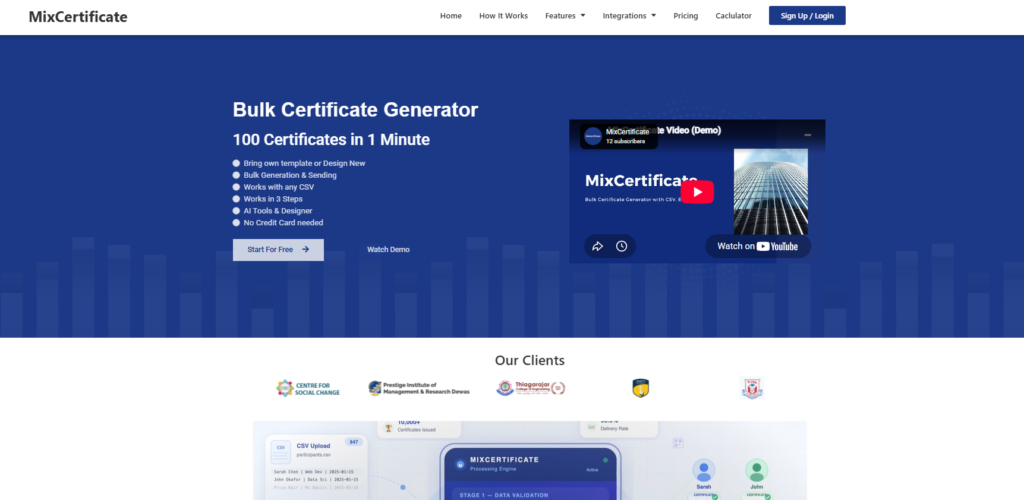
MixCertificate is built specifically around one job: bulk certificate generation with verification attached from day one. You design a template once, then generate certificates from a CSV file, an Excel sheet, or directly through the API. Every certificate gets a verification link so recipients and employers can confirm it is genuine without contacting your team.
What stands out is how the platform handles the full lifecycle. You are not just generating an image. You can set up role-based access so different staff members can issue certificates or manage templates, automate delivery by email, and let recipients download or share their credential from any device. Verification checks run in a matter of seconds rather than requiring a manual lookup.
Pricing is structured to stay accessible for smaller teams while still offering API access and priority support once you move into professional tiers, which tend to land in the range of a few hundred to around a thousand dollars a year depending on volume. For an organization issuing a few thousand certificates annually, that works out to a small fraction of a dollar per certificate, which is usually far cheaper than the staff hours saved.
Pros
- Verification API included on all tiers, not locked behind a premium plan
- Handles the entire workflow: design, bulk generation, delivery, and verification
- Role-based access control for teams
- Works from CSV, Excel, or API, so both non-technical staff and developers can use it
- Pricing stays reasonable for small and mid-size organizations
Cons
- Advanced enterprise integrations may cost more than basic CSV-only workflows need
- Smaller template library compared to design-first competitors
- Less brand recognition than larger, more established platforms
You can read more about the platform directly at mixcertificate.com.
2. Certifier
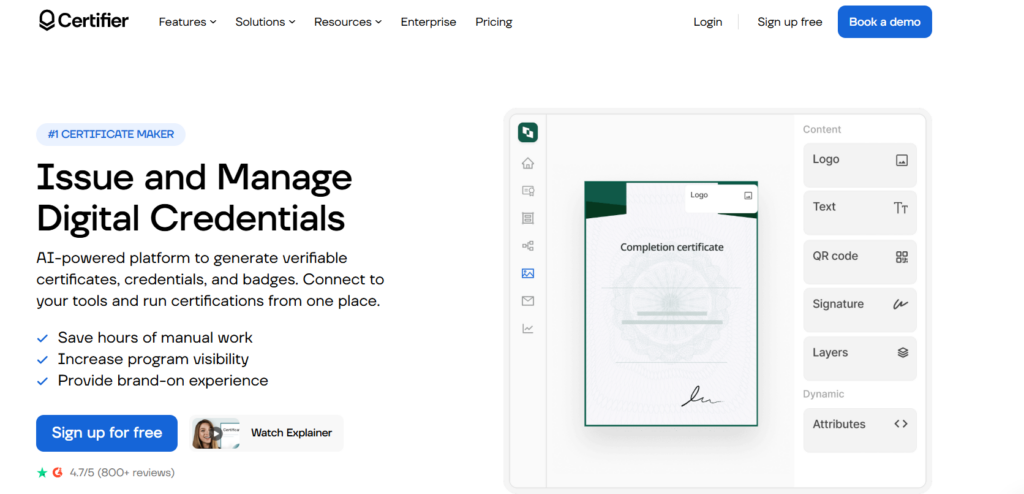
Certifier is a complete credential management platform aimed at organizations that need more than a design tool. It offers over 2,000 templates, a full REST API, and bulk issuance through CSV upload. Verification comes through QR codes and dedicated validation pages, and it supports Open Badges 3.0, which matters if you want your credentials to work with other badge and portfolio systems.
Pros
- Large, ready-made template library
- Strong security with QR verification and standards support
- Generous free tier before you need to pay
Cons
- More complex setup than a simple certificate maker
- Paid plans scale in price quickly with recipient count
3. Accredible
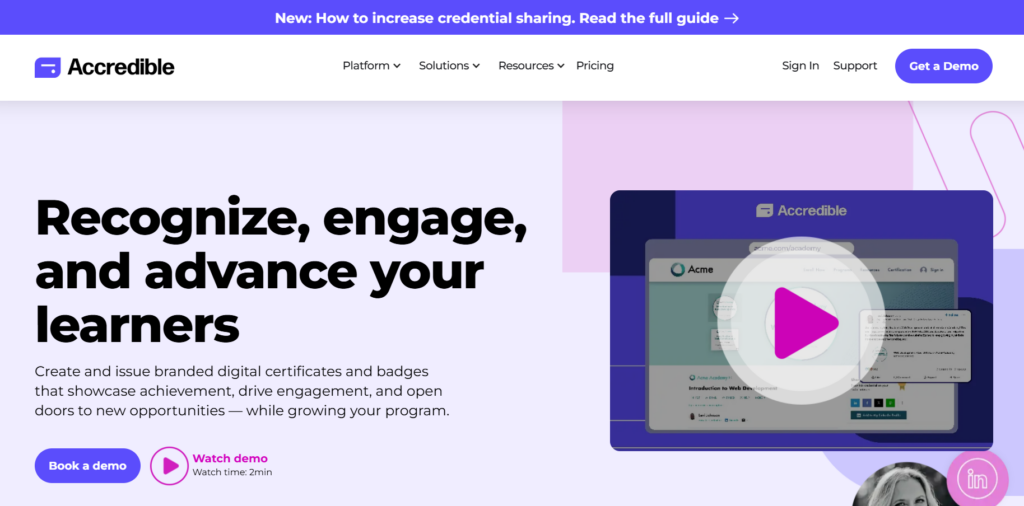
Accredible is aimed at large-scale issuers, think universities, professional associations, and certification bodies that need airtight verification and white-label delivery. It supports blockchain-backed credentials and digital wallet cards, along with a branded portal recipients can use to manage and share their credentials.
Pros
- Trusted by large institutions with heavy compliance needs
- Supports blockchain verification for extra tamper resistance
- Strong LMS integrations for universities
Cons
- Starting price is high relative to smaller platforms
- Overkill for teams issuing a few hundred certificates a year
4. Sertifier
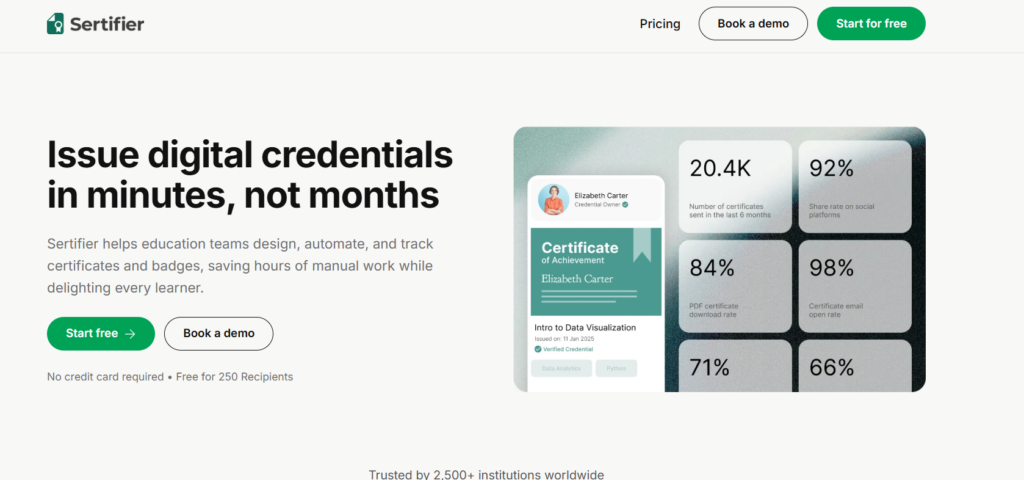
Sertifier targets organizations issuing credentials at real scale. It supports a full REST API and webhooks, connects to your LMS or CRM, and can automatically issue a credential the moment someone meets a completion rule you define.
Pros
- Automatic issuance tied to LMS or CRM completion events
- Webhook support for real-time integrations
- Built for organizations with recurring, high-volume issuance
Cons
- Steeper learning curve for non-technical teams
- Better suited to larger operations than solo creators or small teams
5. Wauld
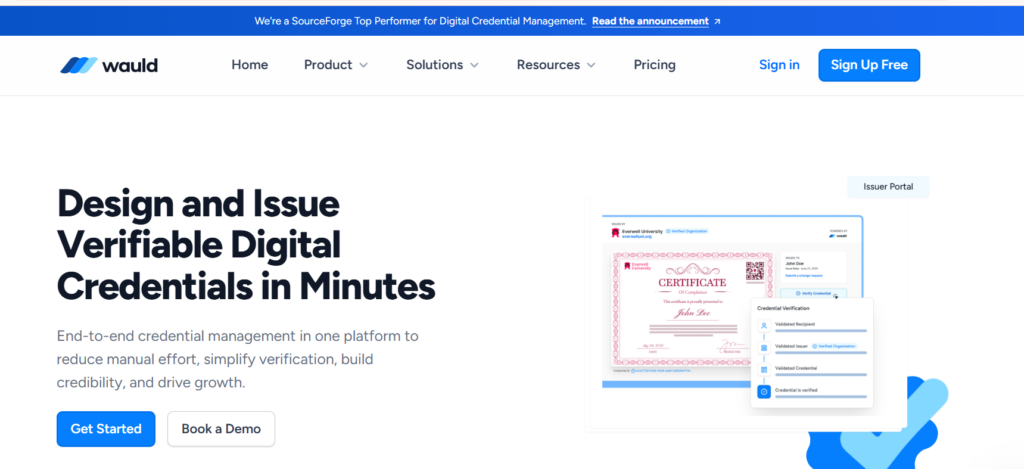
Wauld positions itself as a complete credentialing platform aligned with current open standards, including Open Badges 3.0 and W3C Verifiable Credentials. That standards alignment matters if you expect your certificates to interoperate with other digital badge ecosystems down the line.
Pros
- Built around current, widely recognized credentialing standards
- Full lifecycle coverage from design to verification
- Recognized in independent software rankings for credential management
Cons
- Newer platform with a shorter track record than some competitors
- Feature depth in niche integrations may lag more established players
6. Bannerbear
Bannerbear is a developer-first API for generating images, PDFs, and short videos from a template. You define the template once, then call the API with each recipient’s data to get a finished file back in seconds. It does not host or verify certificates on its own, so you would need to build that layer yourself or pair it with a database and unique ID system.
Pros
- Fast, flexible API well suited to custom app integrations
- Supports images, PDFs, and even short video output
- Free trial to test before committing
Cons
- No built-in verification, so you are responsible for building that piece
- Requires development resources to implement fully
7. RenderForm
RenderForm is an automation engine rather than a design tool. It is API-first, supports bulk generation from CSV and Airtable, and offers dynamic image URLs so you can generate certificate images without writing a full API integration for simple use cases.
Pros
- Generous free tier relative to some competitors
- Simple dynamic URL generation for lightweight use cases
- Works well with Airtable, useful for teams already using it to manage recipient data
Cons
- No built-in verification or hosting
- Best suited to teams comfortable handling their own backend logic
8. Imejis.io
Imejis.io generates certificate images from templates through a synchronous API. You design the layout once, then call the API with each recipient’s name, course, date, and credential ID, and it swaps everything in dynamically, including an embedded verification QR code.
Pros
- Straightforward sync API with fast response times
- Supports embedding a verification QR code directly in the design
- Solid free tier for testing and small volumes
Cons
- Verification still requires you to build or connect a lookup page
- Less suited to teams that want a fully hosted, turnkey solution
9. Certify’em
Certify’em is a lighter-weight option that sends certificates automatically from your Google or Gmail account when someone completes a Google Form quiz with a passing score. It generates a unique PDF from a Google Slides template and includes a certificate ID and optional QR code.
Pros
- Very low barrier to entry if you already use Google Forms
- Affordable starting price
- Good fit for smaller organizations without dedicated developers
Cons
- Tied closely to the Google ecosystem, less flexible outside it
- Not designed for very high-volume or enterprise use
10. Certify (Open Source)
Certify is a free, open-source certificate generator and verifier with both public and private API support, built on Flask and Python. It includes a mailing feature and a dashboard, and because it is open source, you can self-host it and modify it to fit your exact needs.
Pros
- Completely free to run, no subscription costs
- Full control over data, hosting, and customization
- Good option for technical teams that want to avoid vendor lock-in
Cons
- Requires your own hosting and technical maintenance
- No dedicated support team if something breaks
- Less polished interface than commercial platforms
Generator-Only APIs vs. Full Credential Platforms
It helps to think of these ten tools as falling into two camps.
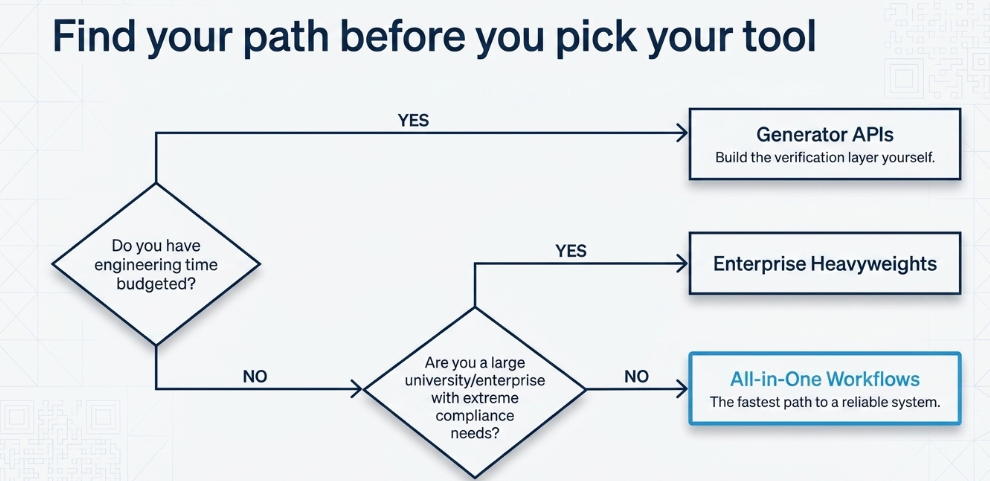
Generator-only APIs, like Bannerbear, RenderForm, and Imejis.io, are built for developers. They are excellent at producing a certificate-shaped file quickly and cheaply, but they leave verification, hosting, and delivery up to you. If your team already has engineers and a database, this can be the cheaper, more flexible route.
Full platforms, like MixCertificate, Certifier, Accredible, Sertifier, and Wauld, handle the entire lifecycle. You get generation, automated delivery, and verification in one subscription, without needing to write custom backend code. For most training providers, HR teams, schools, and event organizers, this is the faster path to something reliable.
If you are unsure which camp fits your situation, ask one question: do you already have engineering time budgeted for this project? If yes, a generator API paired with your own verification database can save money long term. If no, a full platform like MixCertificate gets you a working, verifiable system without writing a line of backend code.
How to Actually Evaluate These Before You Buy
Reading a comparison article only gets you so far. Before committing to any platform on this list, run through this short checklist yourself.
Test the free tier first. Every platform on this list, except the enterprise-only options, offers some kind of free trial or free credits. Actually generate a batch of test certificates before paying anything.
Check the verification page it produces. Click through as if you were an employer checking a candidate’s credential. Is it fast? Does it clearly show the recipient’s name, the issuing organization, and the date? A slow or confusing verification page defeats the purpose.
Confirm CSV and Excel support if you are non-technical. Not every tool that claims bulk support actually handles messy, real-world spreadsheets well. Upload a sheet with a few unusual characters or blank fields and see what happens.
Ask about data ownership. If you ever want to switch platforms, can you export your recipient list, issued certificate records, and verification history? Some platforms make this easy, others do not.
Match pricing to your actual volume. Credit-based pricing looks cheap at first glance but can balloon if your issuance is bursty, for example a school issuing 2,000 certificates once a semester rather than a steady trickle throughout the year. A flat annual plan, like the model MixCertificate uses, tends to be more predictable for that kind of usage pattern.
Frequently Asked Questions
What is the difference between a certificate generator and a certificate verification API?
A generator creates the file, usually a PDF or image, filled in with recipient data. A verification API lets a third party, such as an employer, confirm that a specific certificate is genuine, usually by looking up a unique ID or scanning a QR code. Some tools only do the first job. The stronger platforms on this list do both.
Do I need blockchain verification for my certificates?
For most training programs, schools, and event organizers, a standard verification link or QR code is enough. Blockchain-backed credentials add extra tamper resistance and are worth considering for high-stakes professional certifications or large institutions, but they typically come with a higher price tag and are not necessary for everyday use cases.
Can I switch certificate platforms later without losing my records?
Usually yes, but you should confirm export options before you sign up. Ask whether you can download a full list of issued certificates, recipient data, and verification history in a standard format like CSV. Platforms with true API access, including MixCertificate, generally make this straightforward since your data was never locked into a proprietary format to begin with.
Is a free certificate generator good enough for a small business?
It depends on volume and stakes. If you are issuing a handful of certificates for an internal team event, a free tool or even Canva’s bulk create feature will do the job. Once certificates start representing something an outside party might check, like a completed compliance course or a professional credential, a platform with real verification becomes worth the small monthly cost.
Final Recommendation
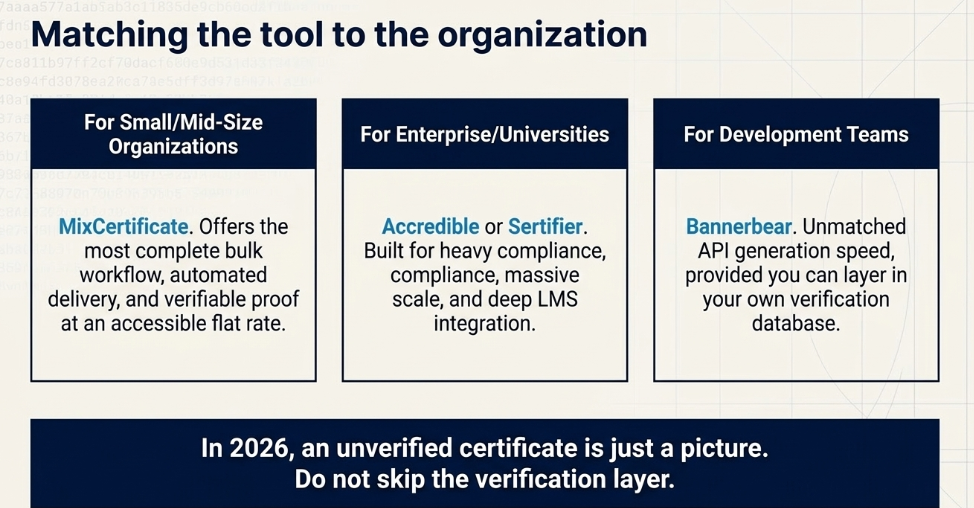
If you want the shortest possible answer: for most small to mid-size organizations that need bulk generation, automated delivery, and real verification without hiring a developer, MixCertificate offers the most complete workflow at the most accessible price point. Larger institutions with heavier compliance needs should look at Accredible or Sertifier. Developers building certificates into their own product should start with Bannerbear or RenderForm and layer in their own verification system.
Whichever you choose, do not skip the verification piece. A certificate without a way to check it is genuine is just a nicely formatted image, and in 2026, that is no longer good enough for anything that matters.
Also Read Related Blog :





2 Responses