
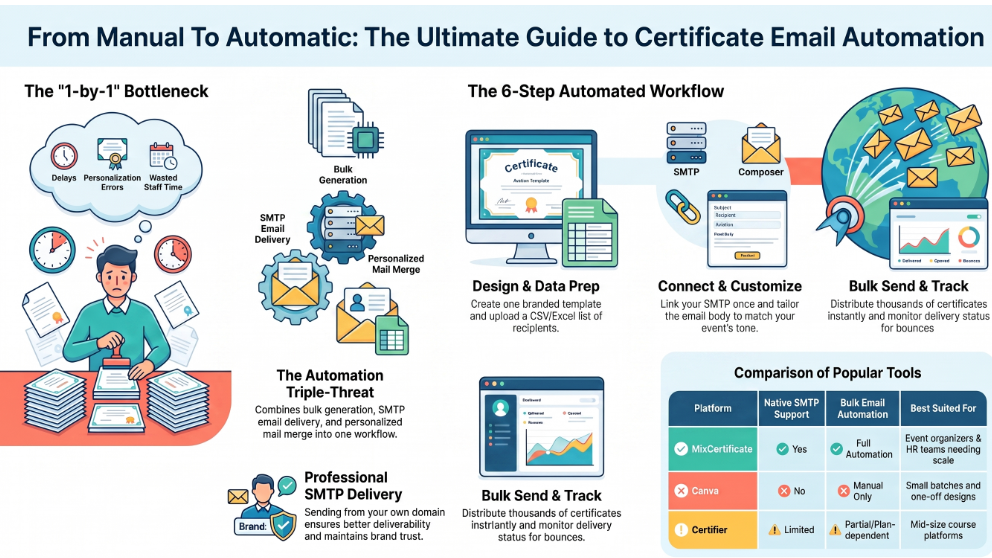
If you run events, courses, workshops, or training programs, you already know the pain of sending certificates by hand. You finish an event with 200 people, and now someone on your team has to make 200 certificates, find 200 email addresses, and send 200 emails one at a time. It takes hours. Delivery gets delayed. And a few certificates always end up in the wrong inbox or never get sent at all.
Email automation fixes this problem. Instead of making certificates and emailing them one by one, the right platform lets you upload a list, design a template once, and send personalized certificates to everyone automatically the moment they’re ready. No manual attachments, no repeated typing, no risk of missing someone.
In this guide, we’ll cover what Certificate Platforms With Email Automation really means, what to look for in a platform, and how the top tools compare on things like SMTP setup, delivery reliability, and bulk sending. We’ll also look at where MixCertificate fits in for organizers who want speed and scale without extra complexity.
What Is Certificate Email Automation?
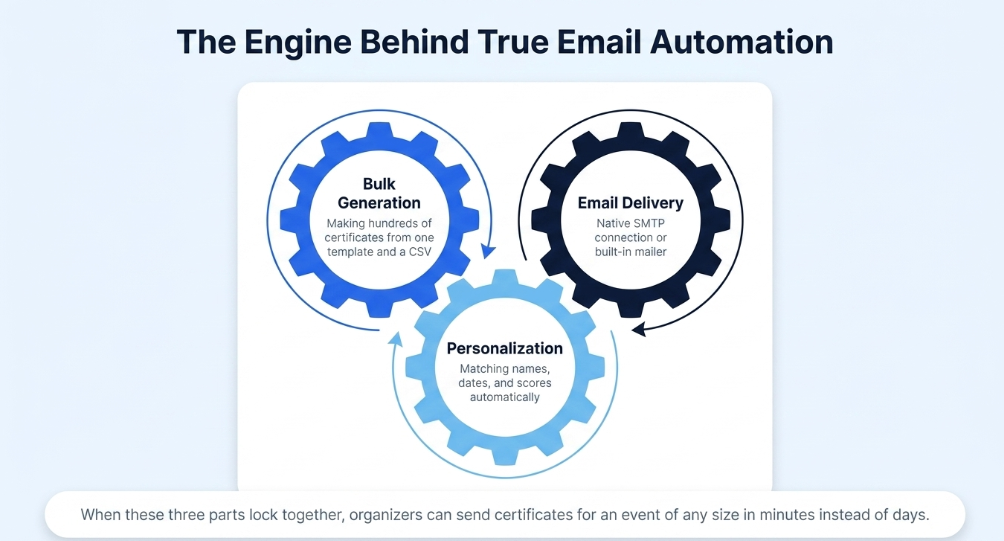
Certificate email automation means generating certificates in bulk and sending them to recipients automatically by email, with no manual work for each one. It usually involves three parts working together:
- Bulk certificate generation — making hundreds or thousands of personalized certificates from one template and a data file (usually a CSV or Excel sheet).
- Email delivery — an SMTP connection or built-in mailer that actually sends the emails.
- Personalization — matching each certificate to the right name, email address, completion date, score, or other custom field.
When these three parts work together, an organizer can send certificates for an event of any size in minutes instead of days.
Why Event and Course Organizers Need This
If you’re running a small 20-person workshop, sending certificates by hand is annoying but doable. Once you pass 100 participants, or you run certifications often (weekly cohorts, monthly webinars, ongoing course completions), manual delivery becomes a real bottleneck.
Here’s what usually goes wrong without automation:
- Delayed delivery. Certificates that should go out in hours end up going out days later because someone has to sit down and process them by hand.
- Mistakes in personalization. Wrong names, wrong dates, or certificates sent to the wrong email address.
- No delivery tracking. Without automation, most organizers can’t confirm whether a certificate email actually reached the recipient or bounced.
- Wasted team time. Staff time that could go toward running better events instead goes toward copying names into a design tool one at a time.
Automation removes all four problems. That’s why “automated certificate email software” is one of the most searched terms among training providers, HR teams, and event organizers looking for new tools.
What to Look For in a Certificate Platform With Email Automation
Not every platform that says it does “email automation” actually delivers reliable bulk sending. Check for these things before choosing a tool.
1. Native SMTP Support The platform should let you connect your own SMTP credentials (Gmail, Outlook, Zoho, or a custom domain mailer) so certificates go out from your organization’s email address instead of a generic third-party one. This matters for deliverability and for how professional the email looks to the person receiving it.
2. Bulk Upload and Mail Merge You should be able to upload a spreadsheet with names, emails, and any custom fields (course name, score, date), and have the platform automatically merge that data into both the certificate and the email.
3. Delivery Status Visibility A good platform shows you which emails sent, which bounced, and which are still pending. Without this, you don’t really know if your certificates reached anyone.
4. Personalized Email Templates The email carrying the certificate should be customizable too, so the message matches your event’s tone instead of looking like a generic automated notice.
5. Data Security Since you’re uploading recipient lists and personal data, the platform should have clear data handling practices, encrypted storage, and no extra data retention beyond what delivery needs.
6. Scalability Without Manual Rework The process that works for 50 certificates should work the same way for 5,000, with no extra steps or support ticket needed as volume grows.
Comparison Table: Top Certificate Platforms With Email Automation
| Platform | SMTP Support | Bulk Email Automation | Custom Branding | Delivery Tracking | Best Suited For |
|---|---|---|---|---|---|
| MixCertificate | Yes, custom SMTP or built-in mailer | Yes, fully automated bulk send with mail merge | Yes, full template control | Yes, sent/bounced status visible | Event organizers, course creators, HR and training teams |
| Canva | No native SMTP | No, manual download and send | Yes, strong design flexibility | No | Small batches, one-off designs |
| Certifier | Limited SMTP options | Partial, depends on plan tier | Yes | Limited | Mid-size course platforms |
| Google Forms + Docs (manual setup) | Needs third-party add-ons | Manual scripting needed | Low | No | Very small, budget-limited events |
| Adobe Express | No | No | Yes, design-focused | No | Certificate design only, not delivery |
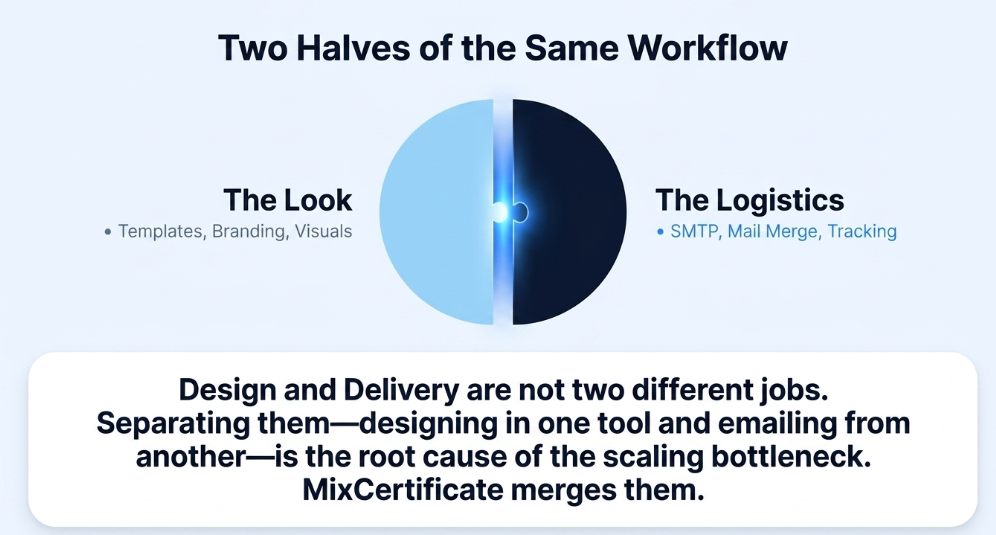
As the table shows, design-first tools like Canva and Adobe Express are great for making a certificate look good, but they weren’t built for bulk delivery. They stop at the design stage and leave the emailing to you. Tools like Certifier bring automation into the picture, but often keep the more useful automation and SMTP options behind higher pricing tiers. MixCertificate was built to combine both halves of the job, generation and delivery, into one connected workflow.
A Closer Look at Each Platform
MixCertificate
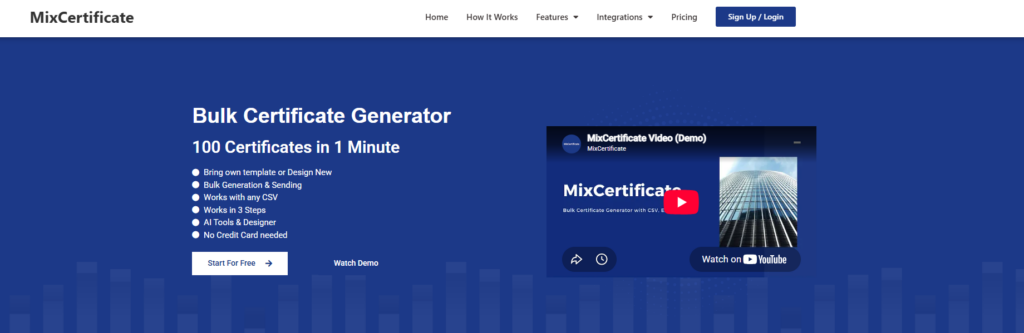
MixCertificate combines certificate design, bulk generation, and automated email delivery in one workflow. Organizers connect their own SMTP, upload a recipient list, and send personalized certificates to everyone in one action, with delivery status visible the whole way through.
Pros
- Native SMTP support, so certificates send from your own domain or business email
- Fully automated bulk send with mail merge, not a partial or paid-tier-only feature
- Full template control for branding
- Delivery tracking shows sent and bounced status
- Setup works the same way at 30 recipients or 10,000
- No developer needed to configure SMTP
Cons
- Newer to the market than some established design tools, so brand recognition is still growing
- Best suited for organizers who want generation and delivery together, less useful if you only need design
Canva
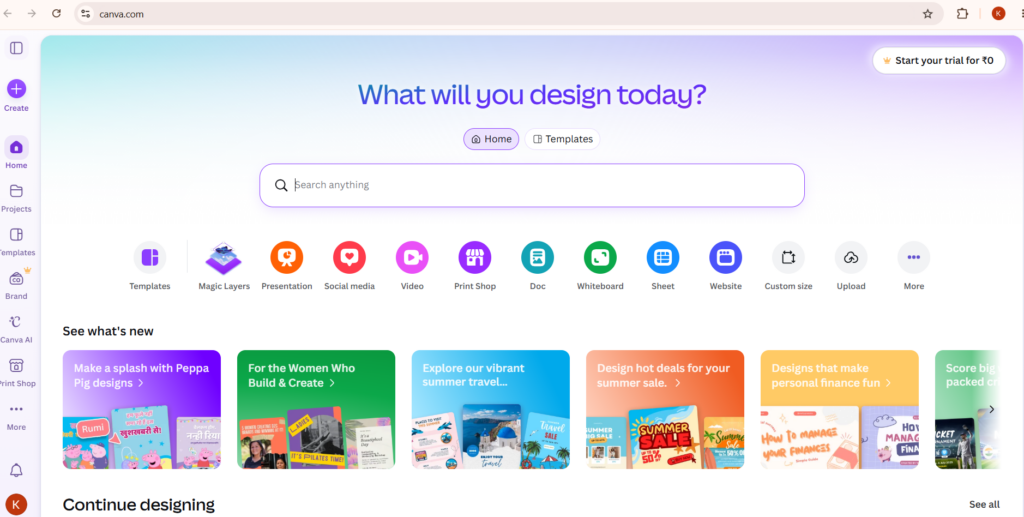
Canva is a widely used design tool that many organizers turn to for certificate templates because of its large library and easy drag-and-drop editor.
Pros
- Strong, flexible design tools and a large template library
- Easy for beginners to make a good-looking certificate quickly
- Good for one-off or small-batch certificates
Cons
- No native SMTP, so there’s no way to send emails directly from the platform
- No bulk email automation, certificates must be downloaded and sent manually
- No delivery tracking, so you can’t confirm certificates were received
- Doesn’t scale well past small batches without a separate emailing tool
Certifier
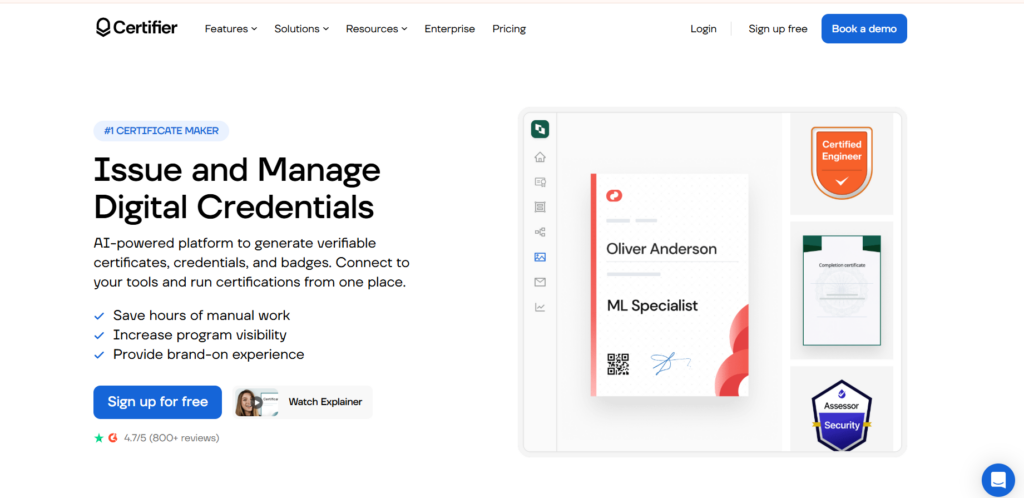
Certifier is a certificate platform aimed at course creators and mid-size training providers, offering some automation on top of design features.
Pros
- Offers both design and some delivery automation in one place
- Custom branding options
- A reasonable fit for mid-size course platforms with moderate volume
Cons
- SMTP options are limited compared to platforms with native SMTP support
- Bulk email automation is partial and often depends on your plan tier
- Delivery tracking is limited, making it harder to confirm every certificate landed
- More useful automation features tend to sit behind higher-priced plans
Google Forms + Docs (Manual Setup)
Some organizers piece together a certificate workflow using Google Forms for data collection and Google Docs for the certificate itself, often with third-party add-ons for automation.
Pros
- Free or very low cost to set up
- Familiar tools for anyone who already uses Google Workspace
- Workable for very small, budget-constrained events
Cons
- Needs third-party add-ons just to get basic automation working
- Manual scripting is often required, which means technical skill or outside help
- Low branding control compared to dedicated certificate platforms
- No delivery tracking
- Becomes hard to manage once volume grows past a small group
Adobe Express
Adobe Express is a design-focused tool that organizers sometimes use to create certificate visuals, similar to Canva.
Pros
- Strong, professional design capabilities
- Good for organizations that already use Adobe’s ecosystem
- Useful when the certificate’s visual quality is the top priority
Cons
- No SMTP support and no email sending capability at all
- No bulk automation, every certificate has to be handled individually
- No delivery tracking
- Design only, so it needs to be paired with a separate tool for actually getting certificates to recipients
How MixCertificate Handles Email Automation
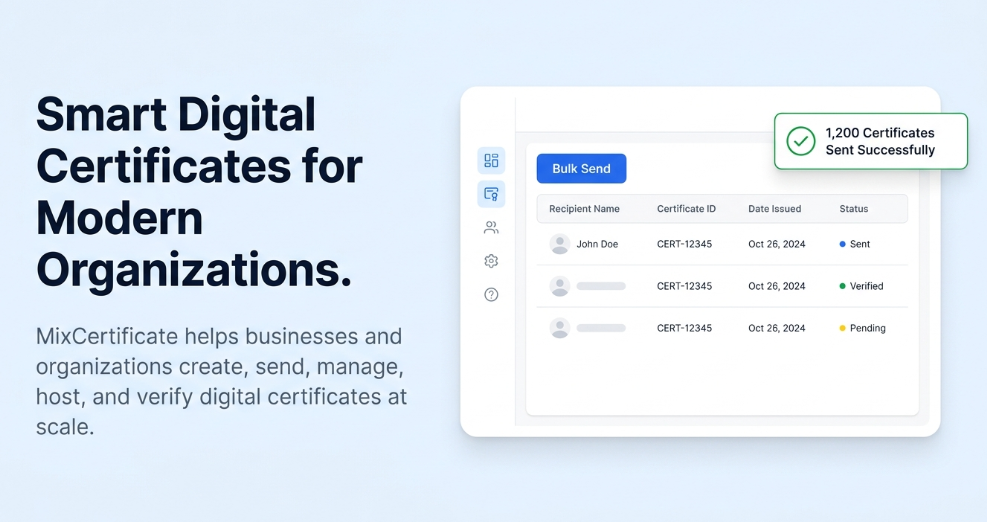
MixCertificate is built around one idea: making certificates and sending them should never be two separate jobs. Here’s how the platform handles the SMTP and email side of things.
Direct SMTP Integration Organizers can connect their own SMTP credentials so certificates go out from their own domain or business email address. This keeps the sender identity consistent with your brand instead of routing emails through an unfamiliar third-party address that recipients might not recognize.
One-Click Bulk Send Once your recipient list is uploaded and your template is finalized, MixCertificate handles the mail merge and sending in one action. No need to open each certificate one at a time or attach files individually.
Built for Non-Technical Teams You don’t need an IT background to set up SMTP on MixCertificate. The setup is built so HR coordinators, event managers, and course administrators, people who aren’t necessarily technical, can configure delivery themselves without a developer.
Works for Any Event Size Whether you’re sending certificates for a 30-person internal training session or a 10,000-person online course, the same process applies. You don’t need to change your workflow as your numbers grow.
Transparent, Risk-Free Payment Organizers often ask about payment safety before switching platforms, especially when trusting a new tool with recipient data. Your payment is risk free when you buy services on MixCertificate. There’s no hidden lock-in, and you know exactly what you’re paying for before you commit, with no surprise charges after setup.
Step-by-Step: Setting Up Certificate Email Automation
Here’s what the setup process typically looks like on a platform like MixCertificate.
- Design your certificate template. Pick a layout, add your branding, and mark the fields that change per recipient (name, course title, date, score).
- Prepare your recipient data. Upload a spreadsheet with columns matching your dynamic fields, name, email address, and any other data you want on the certificate.
- Connect your SMTP or use the built-in mailer. Enter your SMTP details once. You only need to do this one time, not for every event.
- Customize the email message. Write the subject line and body text that go with each certificate. This is where you set the tone, formal or celebratory, to match your event.
- Preview and send. Check a sample certificate and email before sending to the full list, then send in bulk.
- Track delivery. Check which emails were delivered successfully and follow up on any that bounced.
Once set up, this whole process usually takes just minutes for future events, since the SMTP connection and template only need to be configured once.
Common Use Cases
Corporate Training and HR Teams Companies running internal training programs need to issue completion certificates regularly, often across departments or multiple cohorts per quarter. Automation removes the admin work from HR staff who would otherwise send files by hand.
Online Course Creators Course platforms issuing completion certificates at scale, sometimes hundreds a week, need a system that can keep up with rolling completions rather than one that only works for a single big batch.
Webinar and Workshop Hosts Live event hosts often need to send certificates the same day as the event to keep people engaged. Automated delivery means certificates go out within minutes of the event ending instead of days later.
Educational Institutions Schools and training institutes running certification exams or short courses need a reliable way to confirm every student got their certificate, especially when certificates carry academic or professional weight.
Why This Matters and How We Approach It
We work directly with organizers who run certificate campaigns at scale, from small training cohorts to large multi-day conferences, as part of building and writing for MixCertificate. The setup steps above reflect the actual process we’ve tested and refined, not a generic description pulled from marketing copy.
Real delivery experience matters here because email automation looks simple on paper and gets complicated in practice. Deliverability issues, SMTP authentication errors, and mismatches between spreadsheet data and certificate fields are the kinds of problems that only show up once you’ve handled real recipient lists at scale. This guide reflects that hands-on experience rather than a purely theoretical comparison.
Frequently Asked Questions
Is email automation for certificates secure?
Reputable platforms encrypt recipient data in transit and limit data retention to what’s needed for delivery. Always check a platform’s data handling policy before uploading personal information in bulk, and prefer SMTP setups that route mail through credentials you control.
Can I use my own email address to send certificates?
Yes. On platforms with native SMTP support like MixCertificate, certificates are sent from your own domain or business email instead of a generic third-party address.
What happens if an email bounces?
Good platforms flag bounced or failed deliveries so you can follow up individually instead of assuming every certificate reached its recipient.
Do I need technical skills to set up SMTP?
Not on platforms built for non-technical teams. MixCertificate’s SMTP setup is designed to be configured without a developer.
Is payment safe when I subscribe to a certificate platform?
On MixCertificate, your payment is risk free when you buy our services, with clear pricing and no hidden charges after signup.
Final Thoughts
Sending certificates by hand might work when you’re issuing ten a month. It stops working the moment your events, courses, or training programs start to scale. Email automation isn’t a nice-to-have at that point, it’s the difference between certificates going out within the hour versus days later, and between a clean, professional delivery experience versus a scramble of individual attachments.
If you’re evaluating platforms for this exact need, look closely at SMTP flexibility, bulk mail merge accuracy, and delivery tracking before you commit. MixCertificate was built to handle all three in one connected workflow, with setup simple enough for non-technical teams and payment terms that are risk free when you buy our services. If you’re ready to move from manual, error-prone certificate distribution to a reliable automated system, it’s worth a direct look at mixcertificate.com.
Also Read Related Blog :




