
Bootcamps run on outcomes. Students join to learn a skill fast, finish a demanding schedule, and walk away with something they can show employers. A certificate is often the first tangible proof of that effort, and it matters more than most bootcamp founders expect. A well designed certificate builds trust, gives graduates something worth sharing on LinkedIn, and quietly markets your next cohort every time someone posts it online.
The problem is that most certificate tools were not built with bootcamps in mind. Bootcamps run in cohorts, often with dozens or hundreds of students finishing at the same time. They need bulk generation, clean branding, and a way to verify that a certificate is genuine. Many general purpose design tools simply were not made for that kind of volume or workflow.
This guide looks at ten Certificate Generators for Bootcamps actually use, based on how well they handle bulk issuing, design flexibility, verification, and integration with the tools bootcamps already rely on, like Google Sheets, Zoom attendance exports, and learning management systems. Each entry includes pricing context, honest pros and cons, and who the tool fits best.
How We Evaluated These Tools
Before ranking anything, we looked at the specific pain points bootcamp operators face when it is time to certify a cohort. The evaluation focused on five areas:
Bulk generation capacity. Can the tool handle 50, 200, or 500 certificates in one batch without manual copy and paste work for each student?
Integration with bootcamp workflows. Bootcamps track attendance and completion in spreadsheets, LMS platforms, or simple forms. A certificate tool that connects directly to those sources saves hours of admin work.
Verification and authenticity. Employers increasingly check whether a certificate is real. QR codes and verification links add credibility that a plain PDF cannot.
Branding control. Every bootcamp wants its certificates to look distinct, not like a generic template. We looked at how much control each tool gives over fonts, colors, logos, and layout.
Pricing at scale. A tool that looks cheap for ten certificates can get expensive fast once a cohort grows. We compared pricing models across free tiers, per certificate costs, and subscriptions.
With those criteria in mind, here are the ten tools worth considering.
1. MixCertificate
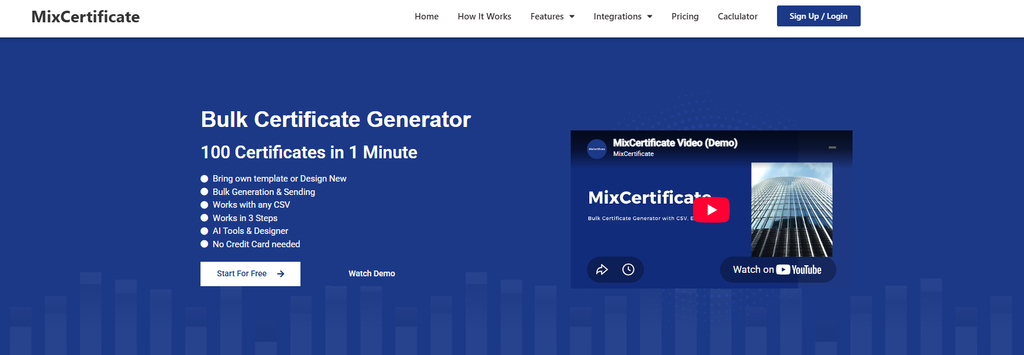
MixCertificate is built specifically around bulk certificate generation, which makes it a natural fit for bootcamps issuing certificates to entire cohorts at once. You can upload a spreadsheet of student names and details, apply a branded template, and generate every certificate in one pass. Each certificate can include a QR code that links to a verification page, so employers or LinkedIn viewers can confirm it is genuine.
The platform also supports direct Google Sheets integration, which fits how many bootcamps already track student completions. Instead of exporting and reformatting data, you can pull straight from the sheet you are already using.
Pros:
- Fast bulk generation for large cohorts
- Google Sheets integration for direct data import
- Built in QR code verification
- Clean, professional templates without a steep learning curve
Cons:
- Fewer decorative design options compared to general design tools like Canva
- Best suited to teams that already keep student data in spreadsheets
Best for: bootcamps that need to issue certificates to large cohorts quickly, with verification built in from the start. You can explore the platform directly at MixCertificate.
2. Certifier
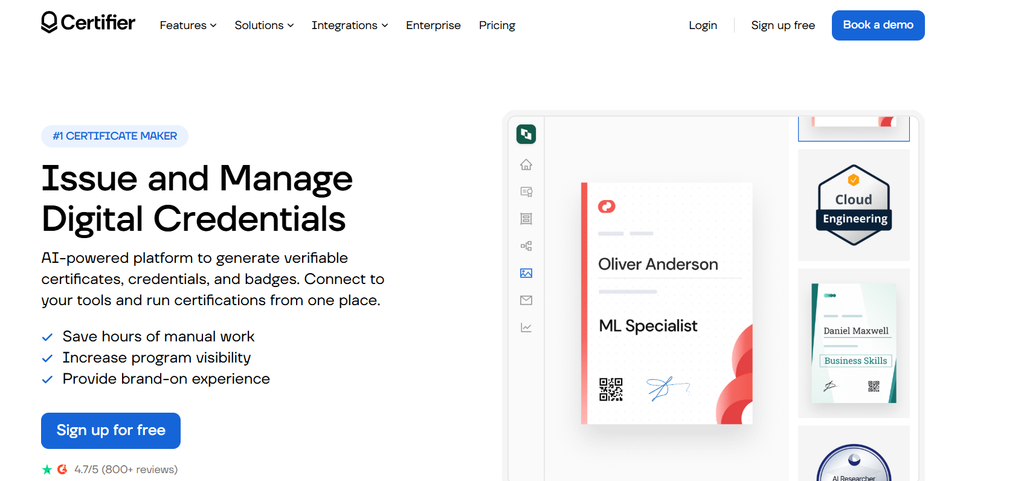
Certifier is a dedicated certificate and badge platform aimed at training providers and online course creators. It supports bulk issuing, custom design templates, and automated delivery by email once a certificate is generated.
Pros:
- Strong automation for sending certificates after generation
- Supports both certificates and digital badges
- Reasonable learning curve for non designers
Cons:
- Free tier is limited in certificate volume
- Advanced branding features sit behind higher pricing tiers
Best for: bootcamps that want automated email delivery alongside certificate generation.
3. Accredible
Accredible is one of the more established players in digital credentialing, often used by universities and larger training organizations. It supports detailed verification, skill tagging, and integration with professional networks.
Pros:
- Robust verification and credential tracking
- Good for organizations that also issue digital badges
- Detailed analytics on credential views and shares
Cons:
- Pricing is geared toward larger organizations, which can be steep for smaller bootcamps
- Interface has more depth than most bootcamps need for simple completion certificates
Best for: larger bootcamp networks or accelerator programs that need enterprise level credentialing.
4. Credly
Credly is widely known for digital badges rather than traditional certificates, and it is commonly used by technology certification programs. Some bootcamps use it alongside a certificate tool to give graduates a shareable digital badge in addition to a PDF certificate.
Pros:
- Strong reputation and recognition among employers, especially in tech
- Good for badge based recognition systems
- Detailed metadata attached to each credential
Cons:
- Not primarily designed for certificate generation, more badge focused
- Setup and configuration take more time than simpler tools
Best for: bootcamps that want to pair a certificate with an employer recognized digital badge.
5. Canva
Canva is a familiar name for anyone who has designed anything online, and many smaller bootcamps start here because of its flexibility and free tier. You can design a certificate template from scratch or use one of its many pre built layouts.
Pros:
- Extremely flexible design options
- Free tier available with paid upgrades for more features
- Easy for non designers to create polished looking certificates
Cons:
- Bulk generation for large cohorts requires manual work or third party plugins
- No built in verification or QR code system
- Not designed specifically for certificate workflows
Best for: small bootcamps issuing a handful of certificates who want full design control without built in automation.
6. TalentLMS
TalentLMS is a learning management system with a built in certificate feature, which makes it convenient for bootcamps that already run their courses through the platform. Certificates are generated automatically once a student completes a course.
Pros:
- Certificates trigger automatically on course completion
- No need for a separate tool if you already use TalentLMS for course delivery
- Simple setup for basic certificate templates
Cons:
- Certificate design options are limited compared to dedicated certificate tools
- Only useful if you are already using TalentLMS as your LMS
Best for: bootcamps already running their curriculum inside TalentLMS.
7. Thinkific
Thinkific is a course hosting platform used by many bootcamp style programs to deliver video lessons, quizzes, and assignments. It includes a certificate feature that activates once a student finishes the required course content.
Pros:
- Certificates are tied directly to course completion tracking
- Convenient if your bootcamp curriculum is already hosted on Thinkific
- Simple to set up without technical skills
Cons:
- Certificate customization is fairly basic
- No advanced verification features like QR codes out of the box
Best for: bootcamps running self paced or hybrid courses through Thinkific.
8. Teachable
Teachable is similar to Thinkific in that it is primarily a course platform, with certificate generation as a supporting feature rather than the main focus. It works well for bootcamps with a strong online, self paced component.
Pros:
- Certificates integrate with course completion tracking
- Good option if your bootcamp already sells courses through Teachable
- Straightforward setup process
Cons:
- Limited design flexibility for certificates
- Not built for bulk issuing outside of the course completion trigger
Best for: bootcamps that run primarily as online course sequences with milestone based completion.
9. Google Docs and Sheets Mail Merge

Some bootcamps, especially smaller or newer ones, still rely on a manual mail merge setup using Google Docs and Sheets. A certificate template is built in Docs, and student data from a spreadsheet is merged in using an add on or script.
Pros:
- Free and familiar for anyone who already uses Google Workspace
- Full control over the template design
- No new software to learn
Cons:
- Time consuming for larger cohorts
- No automated verification or QR code support
- Prone to formatting errors if the spreadsheet data is inconsistent
Best for: very small bootcamps or pilot cohorts that need a free, no frills solution.
10. Adobe Express
Adobe Express, formerly Adobe Spark, offers certificate templates with the design polish Adobe is known for. It suits bootcamps that want a premium look without hiring a designer.
Pros:
- High quality, professional looking templates
- Good font and layout control
- Free tier available with paid plan for more assets
Cons:
- No native bulk generation for large cohorts
- No built in verification system
Best for: bootcamps that prioritize visual polish over automation and verification features.
Comparison Chart
| Tool | Bulk Generation | QR Verification | Sheets/LMS Integration | Starting Price | Best For |
|---|---|---|---|---|---|
| MixCertificate | Yes | Yes | Google Sheets | Free tier available | Large cohort bulk issuing |
| Certifier | Yes | Yes | Limited | Paid plans | Automated email delivery |
| Accredible | Yes | Yes | Limited | Enterprise pricing | Large credentialing programs |
| Credly | Limited | Yes | Limited | Paid plans | Digital badge recognition |
| Canva | Manual | No | No | Free tier available | Small cohorts, design control |
| TalentLMS | Automatic | No | Native LMS | Paid plans | Bootcamps using TalentLMS |
| Thinkific | Automatic | No | Native LMS | Paid plans | Course based bootcamps |
| Teachable | Automatic | No | Native LMS | Paid plans | Online course bootcamps |
| Google Docs Mail Merge | Manual | No | Google Sheets | Free | Very small cohorts |
| Adobe Express | Manual | No | No | Free tier available | Design focused bootcamps |
How to Generate Bootcamp Certificates in Bulk
If your bootcamp is ready to move away from manual certificate creation, here is a simple process that works with most bulk focused tools, including MixCertificate.
- Prepare your student data. Collect names, cohort dates, and any details you want on the certificate in a single spreadsheet.
- Choose or design a template. Pick a layout that matches your bootcamp branding, including logo, colors, and signature lines.
- Import your data. Connect the spreadsheet or upload a CSV so each student’s details map to the right fields on the certificate.
- Add verification if available. Enable QR codes or verification links so certificates can be checked for authenticity.
- Generate and review. Run the batch, then spot check a few certificates for formatting or spelling errors before sending them out.
- Distribute to students. Send certificates by email or make them downloadable from a student portal.
This process typically takes far less time than designing and exporting each certificate individually, especially once a cohort grows past twenty or thirty students.
Frequently Asked Questions
Do bootcamp certificates need verification links?
They are not strictly required, but they add real value. Employers and recruiters increasingly check whether a certificate is genuine, and a QR code or verification page gives them a quick way to confirm it without contacting the bootcamp directly.
What is the cheapest way to certify a large cohort?
Free tools like Google Docs mail merge or Canva can work for very small groups, but they become time consuming at scale. Tools with a free tier that also support bulk generation, such as MixCertificate, tend to offer the best balance of cost and efficiency as cohorts grow.
Can certificates be generated automatically when a student finishes a course?
Yes, if your bootcamp runs through an LMS like TalentLMS, Thinkific, or Teachable, certificates can trigger automatically based on completion status. If you track completion outside an LMS, a bulk tool connected to a spreadsheet is usually the more practical option.
Should a bootcamp use a certificate tool and a badge tool together?
Some bootcamps do, especially in technical fields where digital badges from platforms like Credly carry extra recognition. A certificate gives a formal, shareable document, while a badge adds a smaller, portable credential for platforms like LinkedIn.
How many students should trigger a switch from manual to bulk certificate generation?
There is no fixed number, but most bootcamp operators notice the time savings once cohorts pass twenty to thirty students. Below that, manual methods are manageable. Above it, bulk tools save significant admin hours each cohort.
Final Thoughts
Choosing the right certificate generator comes down to how your bootcamp actually operates. If your cohorts are small and you want full design freedom, a tool like Canva or Adobe Express might be enough. If your program already runs through an LMS, the built in certificate feature may cover your needs without adding another tool.
For bootcamps issuing certificates to larger cohorts on a recurring basis, a dedicated bulk generation tool saves time and adds credibility through verification. MixCertificate is built around exactly that use case, combining bulk generation, Google Sheets integration, and QR code verification in one place, which makes it a solid starting point for bootcamps ready to move past manual certificate creation.
Whichever tool you choose, the goal stays the same: give your graduates a certificate that looks professional, proves their achievement, and holds up when someone checks whether it is real.
Also Read Related Blog :



One Response